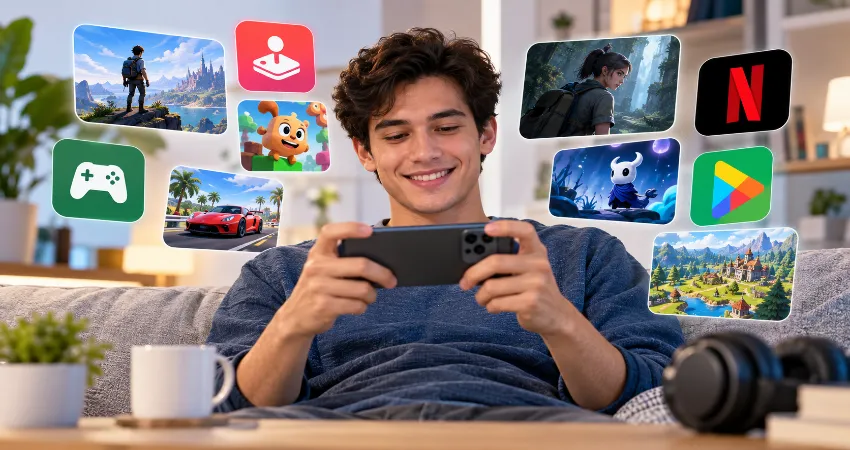
Mobile gaming has changed dramatically. A few years ago, the normal routine was simple: find a game, download it, play for a while, and decide whether it deserved space on your phone. Today, subscription services promise something different. Instead of paying for individual titles, you get access to a rotating library of games for one recurring fee.
That sounds convenient, but convenience does not automatically equal good value. A subscription only makes sense when its library matches the way you actually play. Someone who opens a game for ten minutes during a commute has very different needs from a person who enjoys long story-driven adventures, family games, puzzles, or controller-supported titles.
After comparing the major options, including Apple Arcade, Google Play Pass, and the mobile games included with Netflix, my conclusion is straightforward: mobile game subscriptions can absolutely be worth paying for, but only for the right type of player. The biggest mistake is subscribing because a catalog looks large instead of checking whether it contains games you will genuinely play.
What Is a Mobile Game Subscription?
A mobile game subscription gives you access to a collection of games while your membership remains active. Depending on the service, those games may normally be paid downloads, premium versions of existing titles, exclusive releases, or games with advertising and extra purchases removed.
The model is similar to other digital subscription services. You are paying for access rather than permanent ownership. When the subscription ends, you generally lose access to subscription-only content unless you obtain the game separately. This is an important detail because a large library can feel valuable while you are subscribed, but it does not become a permanent collection.
Apple Arcade: The Most Focused Premium Experience
Apple Arcade makes the strongest first impression if you primarily use Apple devices. Apple says the service provides access to more than 200 premium games, with no advertising, and one subscription can be shared with up to five additional family members. Arcade Originals can also work across supported Apple platforms such as iPhone, iPad, Mac, Apple TV, and Apple Vision Pro.
Its biggest advantage is consistency. Apple Arcade feels more like a deliberately selected gaming library than a giant app bundle. You can browse without constantly wondering whether a game will interrupt you with advertising or push additional purchases. For parents, casual players, and people who regularly switch between Apple devices, that simplicity matters.
The weakness is equally clear: you need to like the available catalog. More than 200 games sounds substantial, but a smaller curated collection can become familiar quickly if your preferred genres are poorly represented. Apple currently lists the U.S. price at $6.99 per month, so I would check at least five games you genuinely want to play before keeping the subscription beyond a trial period.
Google Play Pass: Better for Variety
Google Play Pass takes a broader approach. Google currently advertises more than 1,000 games and apps in the Play Pass catalog. Included titles remove advertising and unlock applicable paid content, while some regions also receive additional offers for games outside the main catalog.
This makes Play Pass interesting even for people who are not constantly playing games. Productivity tools, utilities, creative apps, and other software can contribute to the overall value. If several people in a household use Android devices, family sharing can make the subscription considerably easier to justify.
Current Google documentation also shows a standard price of $4.99 per month or $29.99 per year in supported markets, although regional pricing and availability can differ.
The downside is discovery. A library containing more than 1,000 items can sound impressive while still requiring considerable browsing before you find something that fits your taste. Quantity is useful, but I would not use catalog size alone as the reason to subscribe.
Netflix Games: The Surprisingly Strong Value Option
Netflix takes a very different approach because its games are included with an eligible Netflix membership instead of requiring a separate mobile gaming subscription. Netflix says its mobile games have no additional fees, no advertising, and no in-game purchases. Its July 2026 catalog overview listed more than 120 mobile games.
This changes the value calculation completely. If you already maintain Netflix for movies and series, trying its games effectively adds no separate monthly gaming expense. The catalog has also grown beyond simple promotional titles and includes puzzles, adventures, strategy games, narrative experiences, and adaptations of established premium releases.
The main inconvenience is discovery. Many people still think of Netflix as a video service first, so the gaming library can be easy to overlook. Mobile titles also need to be downloaded to a supported Android or iOS device. Netflix currently recommends Android 9 or later, iOS 17 or later, or iPadOS 17 or later for the broadest compatibility, although requirements vary between games.
The Real Test: How Many Games Will You Actually Play?
This is the question that matters more than subscription price. Imagine paying $6 or $7 for a month and discovering three games that each keep you entertained for several hours. That can be excellent value. Paying less for a library of 1,000 titles is not automatically better if you install two games, play each for ten minutes, and never return.
I recommend creating a personal five-game rule before subscribing. Open the catalog and identify at least five titles you would realistically download today. Do not count games you merely recognize or might someday try. If you cannot find five compelling choices, the subscription probably does not deserve another recurring charge.
Subscriptions Make More Sense for Families
Family access can dramatically improve the economics. Apple Arcade allows a subscriber to share access with up to five family members through Family Sharing. Google also supports sharing Play Pass through a Google family group.
A single person might struggle to use enough games every month to justify another subscription. A household with multiple phones and tablets has a much better chance of finding regular value, especially when different family members prefer different genres.
When a Mobile Game Subscription Is Not Worth It?
Skip the subscription if you spend most of your gaming time on one or two free titles that are not included. The same applies if you regularly forget about subscriptions after signing up. Recurring services become poor value when they remain active during months when nobody uses them.
You may also be better off buying individual premium games if you prefer replaying the same titles for years. A one-time purchase can provide better long-term value because access is not dependent on keeping a monthly membership active.
A Simple Way to Decide Before Paying
Before subscribing, check the current catalog, identify five games you want, verify that they support your device, and estimate how often you will realistically play. Then compare the monthly subscription price with what those games would otherwise cost you.
Set a reminder shortly before the next renewal date as well. If you have barely opened the games during the previous few weeks, cancel. Mobile subscriptions work best when they are treated as optional entertainment rather than permanent household expenses.
Frequently Asked Questions
1. Are mobile game subscriptions actually worth the money?
They can be. The value depends primarily on how many included games you regularly play. Someone who discovers several quality titles each month can receive excellent value, while someone who repeatedly plays the same free game probably will not benefit much.
2. Which mobile game subscription has the largest library?
Among the major services discussed here, Google Play Pass advertises more than 1,000 games and apps. Apple Arcade offers a smaller catalog of more than 200 premium games, while Netflix listed more than 120 mobile games in its July 2026 catalog overview. Catalog size should still be considered alongside quality and personal preference.
3. Is Apple Arcade worth paying for?
Apple Arcade makes the most sense for people already using several Apple devices, families sharing one subscription, and players who prefer premium-style games without advertising interruptions. It becomes less attractive if only a few catalog titles interest you.
4. Is Google Play Pass better than Apple Arcade?
Neither is universally better. Play Pass provides a much broader selection and includes non-game apps, while Apple Arcade focuses more tightly on gaming within Apple’s ecosystem. Your phone platform may effectively make the decision for you.
5. Do Netflix members have to pay extra for mobile games?
No separate gaming charge is required for included Netflix games. Netflix states that its games come with membership without extra fees or in-game purchases. That makes the catalog particularly attractive for people who already maintain Netflix.
6. Can mobile subscription games be played offline?
Many titles can work offline after they have been downloaded, but requirements vary between games. Apple specifically describes its Arcade catalog as supporting online or offline play, while individual games may still require connectivity for certain features.
7. Do I keep subscription games after cancelling?
Usually not. Access generally depends on maintaining the subscription. Google, for example, explains that after Play Pass ends, subscription benefits disappear and included apps or games may return to their standard purchase or advertising model.
8. Are game subscriptions good for children?
They can be useful because services such as Apple Arcade offer many family-oriented titles without advertising interruptions. Parents should still check age ratings, individual game content, device permissions, and parental controls instead of assuming every game in a subscription is appropriate for every child.
9. Should casual players subscribe?
Casual players should subscribe only when the price replaces spending they would already make or provides several games they genuinely enjoy. If you play only occasionally, subscribing for a month during holidays or travel and cancelling afterward can make more sense than maintaining it throughout the year.
10. What is the easiest way to know if a subscription is right for me?
Use the five-game rule. Find five included games that you genuinely want to install immediately. Then use the service actively for a month and review your actual play habits before renewal. If those games remain untouched, your money is probably better spent elsewhere.
Conclusion
Mobile game subscriptions are worth it when they solve a real problem: giving you convenient access to multiple quality games at a reasonable recurring cost. Apple Arcade is particularly appealing inside the Apple ecosystem, Google Play Pass provides exceptional breadth for Android users, and Netflix Games can deliver impressive extra value to people who already have Netflix.
The smartest approach is not choosing the service with the largest catalog. Choose the one containing games you will actually open. If you cannot find five titles you are excited to play, keep your monthly fee and download something you already know you will enjoy.