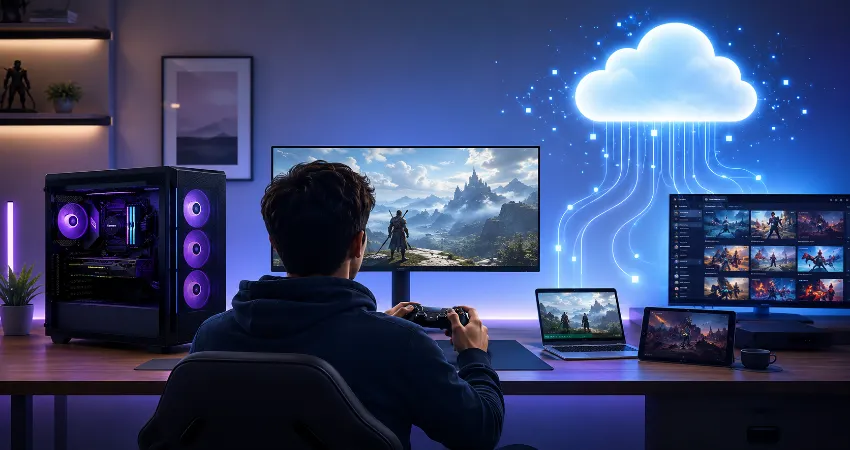
Cloud gaming has spent years promising something incredibly appealing: high-end PC games without buying a high-end gaming PC. In 2026, that idea no longer feels experimental. Services can now deliver high resolutions, high frame rates, ray tracing, and access to large game libraries on surprisingly modest hardware. A laptop, handheld, television, or older desktop can effectively become the screen and controller for a powerful machine running somewhere else.
That sounds like the end of the expensive gaming PC, but the reality is more complicated. The technology has improved faster than many people expected, yet replacing a gaming PC involves more than matching its graphics settings. Responsiveness, internet stability, game availability, peripherals, customization, ownership, and reliability matter just as much.
My take is simple: cloud gaming is finally good enough to replace a gaming PC for some players, but it is not yet a complete replacement for the gaming PC itself. The difference comes down to what kind of player you are and how much control you expect from your setup.
Cloud Gaming Has Become Much More Powerful
The strongest argument for cloud gaming today is performance. NVIDIA’s GeForce NOW Ultimate service now uses RTX 5080-class cloud hardware and supports streaming at up to 5K and 120 FPS, with supported competitive configurations reaching as high as 360 FPS at 1080p. NVIDIA also says GeForce NOW supports more than 4,500 PC games through its expanded library and Install-to-Play system. That is far beyond the basic 1080p streaming experience associated with earlier cloud platforms.
Xbox Cloud Gaming has also progressed. Microsoft began rolling out higher-bitrate streaming at up to 1440p for supported devices in 2026, while its “Stream Your Own Game” collection has expanded beyond 1,000 supported purchased titles. PlayStation’s cloud service can stream selected PS5 games at resolutions reaching 4K on supported hardware and regions.
In other words, raw graphical capability is no longer the main reason I would choose a local PC over the cloud. Modern cloud infrastructure can already provide performance that would require expensive hardware to reproduce locally.
The Real Problem Is Still Latency
Every action in a cloud game has to travel from your controller or mouse through your network to a remote server. The server processes the action, renders the next frame, compresses it, sends it back across the internet, and your device displays it. A local gaming PC removes most of that network journey.
Cloud providers have become remarkably good at reducing this delay. NVIDIA recommends network latency below 80 milliseconds to its data centers and says below 40 milliseconds provides the best experience. Its newest GeForce NOW infrastructure can achieve very low response times under ideal conditions.
But “ideal conditions” are the important words. Your experience depends on distance from the server, your internet provider, Wi-Fi quality, network congestion, router performance, and what other people in the house are doing. A speed test showing hundreds of megabits per second does not automatically mean your connection will feel responsive.
Single-Player Games Are Where Cloud Gaming Makes the Strongest Case
If I were deciding whether someone could live entirely with cloud gaming, I would first ask what they play. Story-driven adventures, role-playing games, strategy titles, slower action games, and many casual experiences are excellent candidates. Small differences in input response are less distracting, while the convenience of avoiding giant installations can be genuinely useful.
This is where cloud gaming can feel almost magical. You can open a demanding title on lightweight hardware, continue a saved game, and enjoy graphics that the local device could never render by itself.
Fast competitive shooters, rhythm-focused games, fighting games, and serious racing setups are a tougher test. These games make responsiveness easier to notice. A cloud session can still feel excellent on the right network, but a properly configured local gaming PC remains more predictable.
Internet Stability Matters More Than Internet Speed
One of the most useful lessons for anyone considering cloud gaming is to stop looking only at advertised broadband speed. Stability is often more important.
GeForce NOW currently recommends around 25 Mbps for 1080p at 60 FPS, 35 Mbps for QHD at 120 FPS, 45 Mbps for 4K at 120 FPS, and 65 Mbps for 5K at 120 FPS. Xbox recommends higher-speed connections with 5 GHz Wi-Fi where appropriate, while PlayStation publishes different recommended bandwidth levels depending on streaming resolution.
Those numbers are achievable for many modern connections. The challenge is maintaining low latency with minimal packet loss and sudden network variation. Ethernet is therefore still my preferred option for a desktop-style cloud setup. Good 5 GHz or newer Wi-Fi can work extremely well, but wired networking removes another variable.
A Gaming PC Gives You Something the Cloud Cannot Fully Match: Control
This is the biggest reason I do not consider cloud gaming a universal PC replacement yet.
A local PC lets you install almost anything compatible with the operating system. You can modify files, experiment with mods, change obscure configuration options, use unusual peripherals, run older software, manage storage however you want, and play supported offline games without depending on a remote server.
Cloud platforms naturally have restrictions. Available games depend on publishers and service agreements. Peripheral support varies. Certain modifications may not work. Features can differ between devices. Even NVIDIA’s greatly expanded Install-to-Play system still depends on participating Steam titles and cloud storage rules.
A gaming PC is a machine you control. Cloud gaming is access to a machine someone else controls. That distinction matters more than benchmark numbers.
The Game Library Problem Is Getting Smaller, But It Has Not Disappeared
Cloud libraries are much healthier than they once were. GeForce NOW now advertises more than 4,500 supported PC games, while Xbox allows subscribers to stream more than 1,000 supported games they already own in addition to its broader cloud catalog.
Still, having a game in your Steam, Epic, Xbox, or another digital library does not automatically guarantee that it can be streamed through every cloud provider. Publisher participation, regional availability, subscription level, and device support can all affect access.
Before treating cloud gaming as your primary platform, check your actual library. Do not evaluate a service by the number advertised on its homepage. Search for the 10 or 20 games you genuinely expect to play.
Cloud Gaming Can Make Much More Financial Sense
The financial argument is powerful. A capable gaming PC requires a processor, graphics card, memory, storage, motherboard, power supply, cooling, and eventually upgrades. Cloud gaming shifts much of that hardware cost into a recurring service.
For someone who plays several evenings a week and does not need specialized PC features, this can be an attractive trade. It can also extend the useful life of an existing laptop or desktop because the local machine mostly needs to decode the video stream and handle input.
Heavy users should look more carefully. Some services have membership limits or additional conditions. For example, NVIDIA currently gives Performance and Ultimate members 100 hours of premium playtime per monthly membership period, with limited unused hours carrying forward. Long-session players should include restrictions like this when comparing costs.
My Replacement Test: Five Questions to Ask Yourself
I would not decide based on graphics quality alone. Ask whether your internet connection is consistently stable, whether your favorite games are supported, whether you care about mods, whether you use specialized hardware, and whether you regularly play latency-sensitive titles. If the first two answers are positive and the remaining three are mostly negative, cloud gaming may already cover nearly everything you need.
For many players, the smarter approach is not choosing one side. A modest local computer combined with cloud gaming can be an excellent setup. You keep normal PC functionality locally while renting high-end graphics power only when you actually need it.
So, Is Cloud Gaming Ready to Replace a Gaming PC?
For casual players, travelers, Mac users wanting access to PC titles, people using handheld devices, and anyone who dislikes expensive hardware upgrades, I think the answer can now be yes.
For enthusiasts who value maximum responsiveness, unrestricted software access, extensive modification, unusual peripherals, offline availability, or complete control over their system, the answer remains no.
The important change is that cloud gaming no longer feels like a weaker substitute by default. It has become a legitimate computing model with different strengths. The gaming PC still wins on control and consistency, while the cloud wins on convenience, device flexibility, and access to high-end hardware without owning it.
Frequently Asked Questions
1. Can cloud gaming really look as good as a gaming PC?
It can look extremely close under excellent conditions. Premium services now support high resolutions, HDR, high frame rates, ray tracing, and advanced image processing. However, cloud video must be compressed before reaching your display. Fine texture detail, dark scenes, fast camera movement, or an unstable connection can make compression more visible than locally rendered gameplay.
2. How fast should my internet be for cloud gaming?
It depends on resolution and service. Around 25 Mbps can be sufficient for high-quality 1080p streaming on services such as GeForce NOW, while 4K and higher-resolution modes can require substantially more. Low latency and connection stability are just as important as raw download speed.
3. Is Ethernet better than Wi-Fi for cloud gaming?
Usually, yes. Modern Wi-Fi can provide an excellent experience, particularly when the router is nearby, but Ethernet reduces interference and network variation. If you plan to use cloud gaming as your primary desktop gaming solution, a wired connection is one of the easiest ways to improve consistency.
4. Is cloud gaming suitable for competitive games?
It can be surprisingly responsive when you live close to the provider’s servers and have a strong connection. However, competitive games expose small delays more easily than slower titles. Players who prioritize the lowest possible input latency will generally still be better served by local hardware.
5. Can I use my existing PC game library?
Sometimes. GeForce NOW connects with stores including Steam, Epic Games Store, GOG, Ubisoft Connect, and supported PC subscription libraries, but individual titles still need cloud support. Xbox also allows selected purchased games to be streamed. Always check individual game compatibility before subscribing.
6. Do I still need a powerful computer?
No. One of cloud gaming’s main advantages is that the remote server performs the demanding rendering. Your local device mainly displays the video stream and sends your inputs. Even relatively modest computers can therefore run visually demanding games through a compatible cloud service.
7. Can cloud gaming replace a PC for people who use mods?
Not reliably. Some cloud environments provide limited support for certain content, but they do not offer the same unrestricted file access and software control as your own computer. Players who regularly modify games should consider a local PC the safer choice.
8. What happens if my internet goes down?
Your cloud session stops. This is a fundamental difference from locally installed games that support offline play. Anyone with unreliable broadband should treat this dependency as a major factor rather than assuming cloud gaming will behave like locally installed software.
9. Is cloud gaming better for occasional players?
It can be. Occasional players may find it difficult to justify purchasing expensive graphics hardware that remains unused most of the week. Cloud services allow them to access powerful hardware when they want to play while continuing to use an ordinary laptop, desktop, handheld, or television.
10. Should I buy a gaming PC or try cloud gaming first?
If you already have a compatible device and good broadband, trying cloud gaming first is sensible. Test your favorite games at the times you normally play, not just during a short demonstration. Pay attention to responsiveness, image quality, connection stability, library coverage, and peripheral support. If those satisfy you, you may discover that you do not need an expensive gaming PC at all.
Conclusion
Cloud gaming in 2026 is closer than ever to replacing a gaming PC, but it has not made local hardware obsolete. Performance is no longer its biggest weakness. The remaining differences are consistency, freedom, connectivity, and control.
For the right player with reliable internet and compatible games, the cloud can already be the primary gaming platform. For enthusiasts who want complete ownership of the experience, a local gaming PC still has advantages that faster cloud servers cannot completely reproduce.