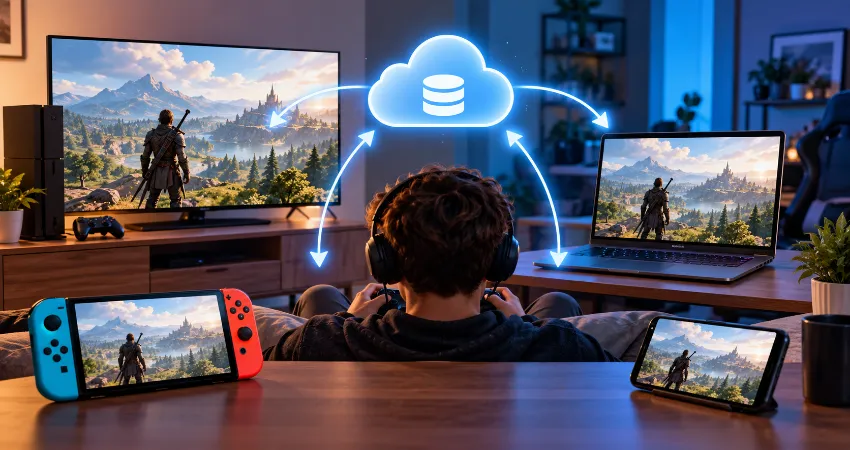
Gaming no longer happens on just one screen. Many players have a console in the living room, a gaming PC at a desk, and perhaps a handheld device for shorter sessions. The problem is that owning several devices is not very useful when a game forces you to restart every time you change platforms. That is where cross-save support becomes genuinely valuable.
A good cross-save system does more than copy a file. It removes friction from everyday gaming. You might play an open-world game on a large screen in the evening, continue the same adventure on another device later, and find your latest progress waiting for you. However, not every game handles this equally well. Some synchronize automatically, some require an account connection, and others require you to manually upload a save.
The most useful way to judge cross-save support is therefore not simply asking whether a game has the feature. The better question is how easily it fits into your normal routine. The games below stand out because they offer practical ways to continue progress across supported platforms without rebuilding a character or repeating hours of gameplay.
What Cross-Save Actually Means?
Cross-save allows game progress created on one platform or device to become available on another supported platform. Depending on the game, this can include story progress, characters, equipment, quests, levels, unlocks, and other account data. Cross-save is different from cross-play. Cross-play lets people on different platforms play together, while cross-save focuses on carrying your own progress between devices.
There is another term worth knowing: cross-progression. Developers often use cross-progression when much of the player’s account, rather than a traditional local save file, follows them between platforms. For players, the practical result can feel almost identical. You sign in elsewhere and continue with the progress you already earned.
Cyberpunk 2077
Cyberpunk 2077 provides one of the clearest examples of traditional cross-platform save syncing. After connecting the game to the same CD PROJEKT RED account, supported saves can be uploaded to the cloud and accessed from another platform. The system provides the latest Quick, Auto, Manual, and other save types, making it particularly useful for a large story-driven game where losing several hours of progress would be frustrating.
The important practical detail is content compatibility. A save created with additional game content may not load on a version where that required content is missing. Before moving an advanced save to another device, make sure the necessary game content is installed there as well.
The Witcher 3: Wild Hunt
The Witcher 3: Wild Hunt is another strong choice for players who divide their time between platforms. Once cross-progression is enabled through the same CD PROJEKT RED account, recent saves can be uploaded automatically and accessed through the Load Game menu elsewhere. The system also supports the Nintendo Switch version through the newer cross-progression implementation.
This feature makes particular sense for The Witcher 3 because a complete playthrough can become very long. Being able to move Geralt’s adventure rather than maintaining separate campaigns on different devices makes the second copy of the game considerably more useful.
No Man’s Sky
No Man’s Sky has become one of the more interesting cross-save examples because Hello Games expanded the feature across PC, PlayStation, Xbox, Switch, and Mac. Connected platforms can access uploaded save data, and the most recent save can be made available for download on another linked device. The system also allows additional saves to be uploaded, with official documentation currently listing support for up to five.
This suits No Man’s Sky especially well. Exploration, base building, upgrades, and long-term progression can continue for hundreds of hours. A cross-save system means the device can change without forcing the player’s universe to change with it.
Destiny 2
Destiny 2 approaches the idea through an active Cross Save account. Players select a set of characters to use across connected platforms, allowing the same Guardians, progress, and equipment to appear wherever that Cross Save setup is supported. Bungie makes an important distinction, however: Cross Save does not combine different character collections from several accounts into one.
There is also a limitation that experienced multi-platform players should understand before buying additional content. Platform licenses for certain Destiny 2 add-ons do not automatically move with Cross Save. Your character can travel, but access to platform-specific licensed content may still require ownership on the platform where you want to use it.
Warframe
Warframe offers Cross Platform Save through linked accounts. Players choose a primary Warframe account and can use its progression and purchases across linked supported platforms. Warframe’s documentation includes PC, PlayStation, Xbox, Nintendo Switch, and mobile versions among its supported ecosystem.
The setup deserves attention because account linking is significant and the chosen primary account determines the progression used across the unified account. This is a game where reading the linking screen carefully is more important than rushing through setup, especially if you already have substantial progress on several platforms.
Fortnite
Fortnite demonstrates the account-based version of cross-progression particularly well. When platform accounts are connected to the same Epic Games account, gameplay progress and most associated content are accessible across supported platforms. There are some exceptions involving platform-specific balances, so players should not assume every account value is identical everywhere.
The biggest practical rule is simple: know which Epic Games account contains your main progress before linking or unlinking consoles. Epic specifically warns that unlinking can cause a console to lose access to progress stored on the connected Epic account.
Apex Legends
Apex Legends also uses account-level cross-progression. Progress is tied to an EA Account, and connected PC, PlayStation, Xbox, and supported Nintendo platforms can access that progression. EA notes that the system does not allow players to freely move progress from one EA Account to another, which makes correct account linking important from the beginning.
For regular players, the advantage is consistency. Unlocks and overall account development do not need to be recreated simply because the preferred gaming device changes.
Minecraft Dungeons
Minecraft Dungeons takes a slightly more hands-on approach. Its cloud save system allows players to upload Heroes and download them on another supported platform while signed into the same Microsoft account. Unlike systems that silently synchronize everything in the background, players may need to actively manage the upload and download process.
That extra step makes it less automatic, but it also makes the process understandable. If you are changing platforms, checking that the newest Hero has been uploaded before leaving the original device is a sensible habit.
Hades
Hades offers a narrower but very practical implementation. Its official support documentation confirms cross-saves between PC or Mac versions on Steam and the Epic Games Store and Nintendo Switch. That combination is particularly useful because Hades works naturally in both desktop and portable play sessions.
Its limitation is equally important: this is not universal cross-save across every Hades version. Players buying the game specifically for save portability should check whether their intended pair of platforms is supported rather than assuming that every release communicates with every other release.
How to Avoid Losing Progress When Switching Platforms?
The safest cross-save routine is surprisingly simple. First, identify which publisher or developer account currently contains your main progress. Second, make sure every platform is connected to that same account where required. Third, launch the game on your original device and confirm that the newest save or progress has synchronized before opening it elsewhere.
For games using manual cloud uploads, upload your newest file rather than assuming it happened automatically. For story-driven games, keep at least one recent manual save where possible. Finally, avoid disconnecting platform accounts just to troubleshoot a synchronization problem unless the developer’s official instructions specifically tell you to do so. In several account-based systems, unlinking can create more problems than it solves.
What Makes a Cross-Save System Truly Good?
From a practical usability perspective, the best cross-save feature is the one you barely notice. Automatic synchronization, clear account ownership, visible cloud indicators, and simple recovery options matter more than a long platform list. A feature becomes less convenient when users have to remember complicated upload procedures or cannot tell which account owns their progress.
That leads to a useful buying rule: if cross-save is important to you, evaluate the exact platforms you plan to use rather than the feature name alone. A game may advertise cross-progression while excluding one platform, requiring a separate account, or limiting transferable content.
Frequently Asked Questions
1. What is the difference between cross-save and cross-play?
Cross-save carries your own progress between supported platforms. Cross-play allows players using different platforms to participate in the same multiplayer environment. A game can support either feature independently, so having cross-play does not automatically mean your saved progress can move between devices.
2. Do I need to buy the game again on another platform?
In many cases, yes. Cross-save normally transfers progress rather than ownership of the actual game license. If you purchased a game on one storefront, another console or storefront may require its own copy before you can load your synchronized progress there.
3. Does cross-save transfer expansion content?
Not necessarily. Save data and content licenses are separate things. Some games require the destination platform to have the same required expansion content before a save can load correctly, while others keep downloadable content licenses tied to the platform where they were purchased.
4. Is cross-save automatic?
It depends on the game. Cyberpunk 2077 and The Witcher 3 can automatically upload appropriate recent saves after their systems are enabled, while Minecraft Dungeons uses a more manual Hero upload and download process. Always check the game’s synchronization method before changing devices.
5. Can I combine two different save files?
Usually not. Most cross-save systems are designed to make one progression path accessible elsewhere rather than combine unrelated campaigns. Account-based games can have even stricter rules about which profile becomes the primary source of progress.
6. Can cross-save work between console and PC?
Yes, several games support that combination. Cyberpunk 2077, The Witcher 3, Destiny 2, Warframe, No Man’s Sky, and other titles provide some form of console-to-PC progression support, although their setup requirements and content limitations differ.
7. Why is my newest save missing on the second device?
The original device may not have completed its cloud synchronization, you may be signed into a different publisher account, or the destination game may not be fully updated. Check the original device first, verify the account, confirm the cloud status, and then restart the destination version.
8. Can I use cross-save without an internet connection?
You may be able to play some games offline after the correct save is already stored locally, but transferring new progress between devices generally requires an internet connection because the save or account information must reach the game’s online service.
9. Is it safe to unlink an account when cross-save stops working?
Unlinking should not be your first troubleshooting step. Some games attach progression directly to a publisher account, and removing a connected platform can temporarily remove access to that data or introduce linking restrictions. Check official support instructions before disconnecting anything.
10. Which type of player benefits most from cross-save?
Cross-save is most valuable for people who regularly use two or more gaming devices. It is particularly helpful for long RPGs, persistent online games, exploration titles, and games where character development requires many hours. Instead of maintaining separate campaigns, players can concentrate their time on one continuous progression path.
Conclusion
Cross-save turns multiple gaming devices into parts of one continuous experience. Cyberpunk 2077, The Witcher 3, No Man’s Sky, Destiny 2, Warframe, Fortnite, Apex Legends, Minecraft Dungeons, and Hades all show different ways the idea can work.
The smoothest experience comes from understanding the account system before linking platforms, confirming that saves have synchronized, and checking whether required game content is available on the destination device. When those details are handled correctly, changing screens no longer has to mean starting over.