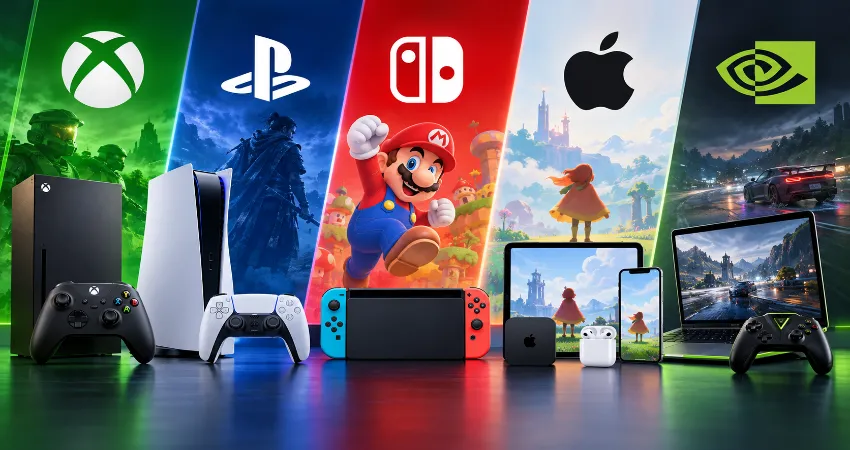
Game subscriptions look simple until you actually try to choose one. Xbox, PlayStation, Nintendo, Apple, and cloud gaming providers all promise convenient access to games, but they are selling surprisingly different experiences. One subscription may replace several game purchases, while another may mainly give you online access, classic titles, family-friendly games, or powerful cloud hardware.
The better question, therefore, is not which service has the largest catalog. It is which subscription reduces your gaming costs without making you pay every month for hundreds of titles you will never open. In 2026, that distinction matters more because subscription prices, tiers, cloud features, and game libraries have become increasingly different.
After comparing current pricing, included libraries, device support, family benefits, cloud features, and the way each service is designed to be used, Xbox Game Pass is the strongest overall choice for frequent players. However, it is not automatically the smartest subscription for everyone. Nintendo Switch Online, PlayStation Plus, Apple Arcade, and GeForce NOW can each be the better purchase for a particular type of player.
What Makes a Game Subscription Actually Worth the Money?
A useful subscription should pass a simple test: you should regularly use benefits that would otherwise cost you more than the subscription itself. A catalog containing 500 games has little practical value if you spend the entire month playing one game you already own. Likewise, a smaller service can offer excellent value when several members of a household use it frequently.
I recommend evaluating subscriptions using four factors: games you genuinely want to play, monthly cost, supported devices, and how frequently you play. Also consider friction. Download requirements, internet quality, rotating catalogs, storage space, and platform restrictions can affect value almost as much as price.
Xbox Game Pass: Best Overall for Players Who Like Variety
Xbox Game Pass currently provides one of the broadest subscription ecosystems. Game Pass Ultimate costs $22.99 per month in the United States and includes a library of more than 500 games across supported consoles, PCs, and other devices. It also combines online console multiplayer, cloud gaming, EA Play, Ubisoft+ Classics, and access to many new releases.
PC players have a particularly interesting option. PC Game Pass costs $13.99 per month and provides more than 300 PC games, including many releases available through the service from their first day.
The advantage is discovery. Someone who regularly moves between large releases, independent games, cooperative titles, and older favorites can easily find enough entertainment to justify a subscription. The weakness is equally clear: $22.99 every month becomes expensive if you normally spend several months completing a single game.
Best for: frequent Xbox and PC players who enjoy exploring multiple games rather than purchasing only a few titles each year.
PlayStation Plus: Best for Dedicated PlayStation Players
PlayStation Plus works differently because its value depends heavily on the tier. Essential primarily covers core benefits such as online multiplayer, monthly games, cloud storage, and discounts. Extra adds access to a catalog containing hundreds of games, while Premium adds features such as the Classics Catalog, game trials, and cloud streaming.
In the United States, PlayStation Plus Extra costs $16.99 monthly or $134.99 for 12 months, while Premium costs $19.99 monthly or $159.99 annually. For someone who already owns a PS5 and spends most of their gaming time inside the PlayStation ecosystem, Extra is arguably the sweet spot. You receive the substantial game catalog without paying for Premium features you might rarely use.
Premium makes more sense when classic games, trials, or cloud streaming are important to you. PlayStation has also expanded cloud streaming for supported PS5 games, making Premium more useful than a simple downloadable-game subscription.
Best for: PS5 owners who want a large library without moving between several gaming ecosystems.
Nintendo Switch Online: Best Low-Cost Subscription
Nintendo takes a very different approach. A standard individual Nintendo Switch Online membership costs only $19.99 per year in the United States. The Expansion Pack costs $49.99 annually and adds additional classic libraries and selected extra content.
That annual price changes the value calculation dramatically. Nintendo does not need to provide hundreds of current major releases to justify a $19.99 yearly membership. Players who regularly use online multiplayer, cloud saves, and Nintendo’s classic libraries may get useful benefits for less than the cost of two months of some competing services.
Families should look particularly closely at Nintendo’s family plans because multiple Nintendo Accounts can share membership benefits. For a household with several Switch users, the effective cost per person can become very low.
Best for: Switch and Switch 2 households, families, Nintendo fans, and anyone prioritizing low annual cost.
Apple Arcade: Best for Casual and Family Gaming
Apple Arcade is easy to overlook when comparing console subscriptions, but it solves a different problem. The service costs $6.99 per month or $49.99 per year in the United States and offers more than 200 games. A subscription can also be shared with up to five additional family members through Family Sharing.
Its real strength is convenience across Apple devices. Supported games can be played on devices such as iPhone, iPad, Mac, and Apple TV, although compatibility varies between titles. For parents, casual players, and households already using several Apple products, this can provide more practical value than an expensive console-oriented subscription.
It is less compelling for someone primarily searching for the newest large PC or console releases. Apple Arcade works best when evaluated as a convenient family gaming library rather than a replacement for Xbox or PlayStation.
Best for: Apple households, mobile players, families, and people who prefer accessible games.
GeForce NOW: Excellent Cloud Gaming, but a Different Kind of Subscription
GeForce NOW should not be compared directly with Game Pass simply by counting games. NVIDIA’s service connects to supported PC game stores and allows you to stream compatible games, including titles you already own. In other words, you are primarily paying for access to powerful remote gaming hardware.
Current U.S. pricing lists Performance at $9.99 per month and Ultimate at $19.99 per month. Ultimate can deliver extremely high streaming resolutions and frame rates on supported hardware and connections. Paid memberships currently include 100 hours of premium playtime each month, with limited unused hours able to roll over.
This can be highly valuable if you own a modest laptop, Mac, handheld, or other compatible device but already have a substantial PC game library. It makes much less sense if your main goal is receiving a large collection of games with one monthly payment.
Best for: players who already own PC games but want higher-end gaming performance without purchasing a powerful new computer.
My Practical Recommendation: Subscribe by Playing Habit, Not Brand
The smartest strategy for many people is not maintaining every subscription continuously. Keep the service you use for multiplayer or everyday gaming, then rotate optional subscriptions when their catalogs contain something you genuinely want to play.
Before renewing, open your recent gaming history and check what you actually played during the previous 30 days. If almost none of it came from the subscription catalog, cancel or downgrade. This simple monthly review prevents a convenient service from becoming another forgotten recurring expense.
Which Service Offers the Best Value Overall?
For a player who wants the widest mixture of games, devices, new releases, and cloud options, Xbox Game Pass is currently the most complete overall package. PC Game Pass is especially compelling for computer players who do not need the extra console benefits of Ultimate.
PlayStation Plus Extra is the stronger choice for someone committed to PS5. Nintendo Switch Online wins on basic annual affordability. Apple Arcade offers excellent household value inside the Apple ecosystem. GeForce NOW becomes attractive when computing performance, rather than an included game catalog, is your main concern.
Questions And Answers
1. Which game subscription gives the best overall value?
Xbox Game Pass is the strongest general-purpose choice for frequent players because it combines a large library with PC, console, online, and cloud features. However, players who mainly use PlayStation, Nintendo, or Apple hardware can receive better practical value from a service designed specifically for their devices.
2. Is Xbox Game Pass worth paying for every month?
It can be, particularly if you regularly play several games from its catalog. If you complete only a few games each year and normally replay titles you already own, purchasing those games individually may cost less over time.
3. Is PlayStation Plus Extra better value than Premium?
For many PS5 owners, yes. Extra includes the major Game Catalog benefit at a lower price. Premium becomes more attractive when you specifically use cloud streaming, classic games, or game trials rather than simply wanting access to a large downloadable library.
4. Is Nintendo Switch Online worth buying just for online play?
For regular Nintendo multiplayer users, the relatively low annual price makes it easy to justify. Cloud saves, classic games, and other membership features add additional value, so the subscription can remain useful even when online multiplayer is the primary reason you joined.
5. Is Apple Arcade good for families?
Yes. Family Sharing is one of Apple Arcade’s strongest advantages because one subscription can cover up to six family members. Its relatively low annual price also makes it attractive for households already using multiple compatible Apple devices.
6. Does GeForce NOW include all the games I can stream?
No. GeForce NOW primarily gives you cloud access to compatible games connected through supported PC storefronts. Some titles may come through other memberships, but you generally should think of GeForce NOW as rented cloud gaming hardware rather than an all-inclusive game library.
7. Should I keep several game subscriptions active?
Usually not unless you actively use them. Maintaining three or four subscriptions can quickly turn an inexpensive entertainment option into a substantial yearly expense. Rotating secondary subscriptions according to what you currently want to play is often more economical.
8. Are annual plans better than monthly subscriptions?
Annual plans can reduce the effective monthly cost, but only when you know you will continue using the service. A discounted annual plan is still wasted money if you stop playing after two months. New subscribers should often test a monthly option before making a longer commitment.
9. How can I tell if my subscription is saving me money?
Look at the games you completed or regularly played during the last few months. Estimate what those games or required online features would otherwise have cost. If the subscription cost is consistently lower and you enjoy the convenience, it is providing genuine value.
10. What is the smartest subscription strategy for most players?
Choose one primary service that matches your main platform and gaming habits. Add another service temporarily when there are specific games you want to complete, then cancel it when you are finished. This approach provides access to multiple ecosystems without paying for all of them throughout the year.
Conclusion
No game subscription is universally worth paying for. Xbox Game Pass provides the strongest all-around package for frequent players, PlayStation Plus fits dedicated PlayStation owners, Nintendo Switch Online offers outstanding basic affordability, Apple Arcade works particularly well for families, and GeForce NOW is valuable for players who need cloud-powered PC performance. The best subscription is ultimately the one you actively use, not the one advertising the largest library.