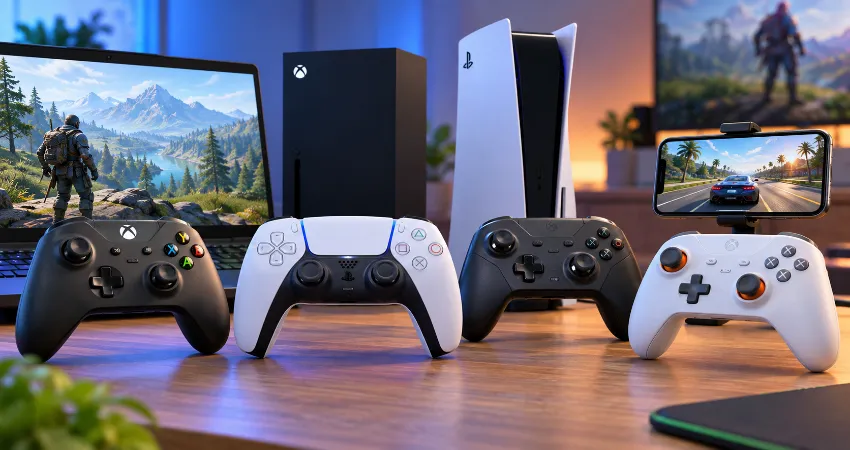
Gaming no longer happens on just one screen. A player may use a desktop PC during the day, continue a game on a console in the evening, and use a phone for remote play or compatible mobile games while traveling. That makes a cross-platform controller far more useful than buying a separate gamepad for every device.
There is an important limitation, however. No mainstream controller currently offers completely unrestricted native compatibility with Xbox, PlayStation, Windows, Android, and iPhone at the same time. Console manufacturers use different connection methods and licensing requirements. The smarter approach is therefore to choose a controller that supports your main console plus PC and mobile devices with as little friction as possible.
After comparing current manufacturer compatibility information, connection methods, mobile support, battery systems, controls, and practical platform limitations, several controllers stand out. The following options are especially useful for players who regularly move between multiple devices.
Quick Comparison of the Best Cross-Platform Controllers
| Controller | Console | PC | Phone | Best For |
|---|---|---|---|---|
| Xbox Wireless Controller | Xbox Series X|S, Xbox One | Windows | Android, iOS | Best overall versatility |
| 8BitDo Ultimate 3-mode Controller for Xbox | Xbox Series X|S, Xbox One | Windows | Android, supported Apple devices | Advanced controls and Hall Effect sticks |
| DualSense Wireless Controller | PlayStation 5 | Windows | Android, iOS | PlayStation owners |
| Xbox Elite Wireless Controller Series 2 | Xbox Series X|S, Xbox One | Windows | Android, iOS | Premium customization |
| Turtle Beach Pacific Skyline Wireless Controller | Xbox Series X|S, Xbox One | Windows | Android | Wireless Xbox and Android setups |
1. Xbox Wireless Controller: Best Overall for Most Players
The standard Xbox Wireless Controller remains one of the easiest recommendations for anyone whose primary console is Xbox. Microsoft officially lists compatibility with Xbox Series X|S, Xbox One, Windows 10 and 11 PCs, Android, and iOS. It connects to Xbox consoles through Xbox Wireless while Bluetooth can be used with supported computers, phones, and tablets.
Its biggest strength is simplicity. Windows games commonly recognize the Xbox button layout without requiring complicated configuration, while switching to a phone only requires normal Bluetooth pairing. The textured grips, hybrid directional pad, analog triggers, 3.5 mm headset connection, and familiar asymmetric stick layout also make it comfortable for many types of games.
The replaceable AA battery system is unusual compared with controllers that contain permanent rechargeable batteries, but it can actually be useful. Microsoft states that standard AA batteries can provide up to 40 hours of operation depending on usage. Rechargeable battery packs are also available for players who prefer charging rather than replacing batteries.
2. 8BitDo Ultimate 3-mode Controller for Xbox: Best Feature-Rich Alternative
The 8BitDo Ultimate 3-mode Controller for Xbox is particularly interesting because it was designed specifically around multi-device use. It is officially licensed for Xbox and supports Xbox Series X|S, Xbox One, Windows, Android, and supported Apple operating systems. Its connection method changes depending on the platform: Windows can use its 2.4 GHz receiver or USB, mobile devices use Bluetooth, and Xbox compatibility is provided through its supported Xbox connection mode.
The major hardware advantage is its Hall Effect joysticks and triggers. Instead of relying on traditional potentiometer-based sensing, Hall Effect components detect movement magnetically. That design reduces physical contact inside the sensing mechanism and is attractive to players concerned about long-term joystick wear.
The controller also provides two rear buttons, adjustable profiles, vibration controls, stick and trigger customization through 8BitDo software, a rechargeable battery, and a charging dock. 8BitDo rates the internal 1000 mAh battery for approximately 20 hours of play under its specified conditions.
One detail deserves attention before buying: connection features are not identical on every device. Some vibration, audio, customization, or connection functions can vary by platform. Check the manufacturer compatibility information for your exact operating-system version rather than assuming every feature travels with you.
3. DualSense Wireless Controller: Best Choice for PlayStation 5 Owners
If PlayStation 5 is your primary console, Sony’s DualSense is the more logical cross-platform choice. Sony supports DualSense connections with compatible Windows PCs, Android devices, iPhones, iPads, Macs, and Apple TV devices in addition to PS5. USB-C and Bluetooth are available depending on the device.
DualSense is especially impressive on PS5 because supported games can use its adaptive triggers and advanced haptic feedback. Those features can make acceleration, environmental effects, weapon resistance, and other interactions feel more physical than ordinary vibration.
The important limitation appears when moving away from PS5. Sony notes that certain DualSense functions are unavailable on some platforms. Adaptive triggers, for example, are not supported on Android-based mobile devices, while haptic feedback on PC requires support from the game and a USB connection.
That means DualSense should primarily be viewed as a PS5 controller that also works very well with compatible PCs and phones, rather than a controller whose complete PS5 feature set follows it everywhere.
4. Xbox Elite Wireless Controller Series 2: Best Premium Option
The Xbox Elite Wireless Controller Series 2 targets players who want more physical customization than the standard Xbox controller provides. Microsoft supports it across Xbox consoles, Windows PCs, Android devices, and iOS devices through a combination of Xbox Wireless, Bluetooth, USB, and compatible adapters.
Its interchangeable components, adjustable thumbstick tension, rear paddles, profile controls, and configurable inputs make the Elite Series 2 particularly useful for players who regularly change game genres. A racing game may benefit from one profile while an action title may feel better with completely different paddle assignments.
It is unnecessary for casual users who simply need dependable controls, but it makes sense when customizable inputs are genuinely useful. As with other advanced controllers, some configuration features depend on Microsoft’s Xbox Accessories application and therefore are not identical across every connected device.
5. Turtle Beach Pacific Skyline: Strong Xbox, PC, and Android Option
The Turtle Beach Pacific Skyline Wireless Controller is another interesting multi-platform option for players using Xbox, Windows, and Android. Turtle Beach officially lists Xbox Series X|S, Xbox One, Windows 10 or 11 PCs, and Android or compatible Bluetooth smart devices. Xbox and PC wireless connections use the included USB transmitter, while Android connectivity uses Bluetooth.
Its TMR thumbsticks are designed for precise movement while avoiding some of the mechanical wear associated with traditional stick sensing. The controller also includes two mappable quick-action buttons, impulse triggers, vibration motors, a headset connection, audio controls, and customizable lighting.
The major limitation is obvious for iPhone users: Turtle Beach specifically emphasizes Android mobile compatibility rather than the broad Android and iOS support offered by Microsoft’s standard controller. For an Xbox, Windows, and Android household, however, it can be a practical alternative.
What Actually Makes a Controller Good Across Multiple Platforms?
Compatibility should be the first requirement, but it should not be the only one. A good multi-device controller needs an easy way to move between systems. Bluetooth is convenient for phones, while a dedicated 2.4 GHz receiver can provide a stable connection on PC. Console connectivity is more complicated because Xbox and PlayStation hardware have their own requirements.
Also consider battery life, USB-C charging, joystick technology, button layout, phone mounting options, headphone support, firmware updates, and whether profiles are stored directly on the controller. A feature is much less useful if it works on your console but disappears every time you connect to another device.
Hall Effect and TMR Sticks Are Worth Considering
Joystick technology has become an increasingly meaningful difference between controllers. Traditional analog sticks rely on components that experience physical wear over time. Hall Effect sticks use magnetic sensing, while newer TMR designs also use magnetic-field detection with different sensor characteristics.
This does not mean every Hall Effect or TMR controller automatically has better aiming. Firmware calibration, dead zones, stick tension, polling behavior, and game settings also influence how a controller feels. However, players who plan to keep one controller for several devices over a long period may reasonably prioritize modern magnetic stick technology.
Do You Need a Phone Clip?
A normal Bluetooth controller works with a phone without a mount, but holding a phone separately is inconvenient for portable gaming. A compatible controller clip can turn an Xbox-style gamepad into a much more comfortable mobile setup.
For frequent travel, dedicated telescopic mobile controllers can be more compact. However, those products usually attach directly to a phone and are not replacements for native console controllers. If your goal is one gamepad for a living-room console, computer, and phone, a traditional Bluetooth controller plus an optional phone clip remains the more flexible arrangement.
How to Choose the Right Controller?
Start with your console rather than your phone. Xbox owners should prioritize officially supported Xbox controllers, while PS5 owners should generally begin with DualSense. PC compatibility is broad enough that either ecosystem can work well there, and modern Android and iOS devices support many mainstream Bluetooth gamepads.
Next, identify which features must work everywhere. If basic sticks, triggers, and buttons are sufficient, the standard Xbox Wireless Controller offers excellent simplicity. If you care about magnetic sticks, rear buttons, profiles, and a charging dock, the 8BitDo Ultimate 3-mode model becomes more appealing. PS5 players who value adaptive triggers and haptics should stay with DualSense.
Frequently Asked Questions
1. What is the best controller for PC, Xbox, and phone?
The Xbox Wireless Controller is the simplest overall choice for that combination. Microsoft officially supports Xbox Series X|S, Xbox One, Windows 10 and 11, Android, and iOS. Its standard Xbox layout is also widely recognized by Windows games, reducing the amount of configuration normally required.
2. Is there one controller that works with Xbox, PS5, PC, Android, and iPhone?
There is no mainstream controller that provides unrestricted native support and an identical feature set across all of those systems. Xbox and PlayStation have separate console ecosystems. A controller may support PC and mobile broadly while supporting only one of the major console families.
3. Does the Xbox Wireless Controller work with iPhone?
Yes. Microsoft officially lists compatible iOS devices among the supported platforms for the current Xbox Wireless Controller. It connects through Bluetooth. Individual games still need controller support, so successful Bluetooth pairing does not automatically make every iPhone game controller-compatible.
4. Can DualSense be used on Android?
Yes. Sony lists Android 12 or later among supported DualSense platforms. However, not all PS5-specific functions carry over. Sony specifically notes that adaptive triggers are not compatible with Android-based mobile devices, so the experience can differ from using DualSense on PS5.
5. Is Bluetooth good enough for controller gaming?
Bluetooth is convenient and usually suitable for general gaming, especially on phones and tablets. Players who prioritize a more dedicated PC connection may prefer USB or a proprietary 2.4 GHz receiver when supported. Actual responsiveness also depends on the controller, device, wireless environment, game, and display.
6. Are Hall Effect sticks better for a multi-platform controller?
They can be valuable for long-term ownership because their position sensing does not depend on the same type of physical contact used by conventional potentiometer sticks. They are not automatically more accurate in every controller, though. Firmware, calibration, dead-zone settings, and mechanical design remain important.
7. Can I use the same controller for native mobile games and remote play?
Usually, provided both the mobile operating system and application support that controller. Native games must include controller input themselves. Remote-play and game-streaming applications can also accept compatible controllers, allowing a phone to act as the display while games run elsewhere.
8. Which controller is best if I primarily own a PS5?
DualSense is generally the most sensible option because it provides native PS5 compatibility and access to supported PS5-specific features while still connecting to compatible PCs and mobile devices. Buying an Xbox-focused controller solely for broader Bluetooth support would sacrifice native PS5 use.
9. Which controller is easiest to switch between PC and mobile?
Controllers with clearly separated wireless modes are convenient for frequent switching. The standard Xbox Wireless Controller offers straightforward Bluetooth support, while the 8BitDo Ultimate 3-mode model separates its PC and mobile connection methods, using 2.4 GHz or USB on Windows and Bluetooth on compatible mobile devices.
10. What should I check before buying a cross-platform controller?
Confirm the exact console model, Windows version, Android or iOS requirement, supported connection method, and whether important features such as vibration, audio, rear buttons, motion controls, or customization work on each platform. Manufacturer compatibility pages are more reliable than assuming that a Bluetooth logo guarantees complete functionality.
Conclusion
The best cross-platform controller is not necessarily the model with the longest specification list. It is the one that works reliably with the devices you actually use. For Xbox, Windows, Android, and iPhone, the Xbox Wireless Controller remains the easiest all-around choice.
The 8BitDo Ultimate 3-mode Controller for Xbox adds modern stick technology and deeper customization, while DualSense is the strongest option for PS5-centered setups.
By choosing around your primary console first and checking mobile features second, you can realistically use one controller across most of your gaming setup without paying for features your devices cannot use.