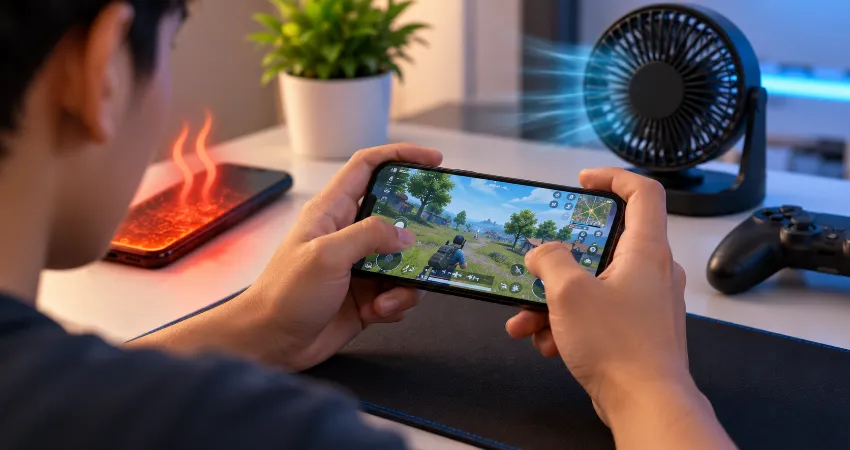
For a long time, I assumed a hot phone was simply part of mobile gaming. I would start a demanding game with smooth performance, but after a while the back of the phone would become noticeably warm, the screen would seem dimmer, and the frame rate would slowly become less consistent. The strange part was that increasing performance settings did not solve the problem. In many cases, it made the experience worse.
What eventually helped was changing the way I approached gaming performance. Instead of trying to make my phone run at maximum power every minute, I focused on reducing unnecessary heat before thermal limits were reached. I adjusted graphics settings, changed my charging habits, improved airflow, reduced display brightness, and paid more attention to network conditions. The result was longer gaming sessions with noticeably more consistent performance.
This approach does not require modifying the phone or using complicated tools. Most of the improvements come from understanding where gaming heat actually comes from and removing the small sources of extra thermal load that add up during a long session.
Why My Phone Became So Hot While Gaming?
Modern mobile games can place a heavy workload on several parts of a smartphone at the same time. The processor handles game logic, the graphics processor renders the environment, the display operates continuously, and Wi-Fi or mobile connectivity may remain active throughout an online session. Each component consumes energy, and part of that energy becomes heat.
The problem becomes more noticeable during long sessions because the phone has limited space for heat dissipation. Unlike a gaming computer with large fans and heatsinks, a smartphone must move heat through a thin internal structure and its outer frame. When the device can no longer maintain comfortable operating temperatures, its thermal-management system may reduce performance.
I Stopped Using Maximum Graphics Settings by Default
The biggest change I made was surprisingly simple: I stopped automatically selecting the highest graphics preset available. Maximum graphics may look impressive, but the visual improvement is not always worth the additional GPU workload during extended play.
I now start around medium or high settings and adjust individual options instead. Resolution, rendering quality, shadows, reflections, anti-aliasing, and special effects can all increase processing demand. In demanding games, reducing one or two expensive settings can significantly decrease sustained workload without making the game look dramatically worse.
My priority is consistent performance rather than the highest possible graphics quality during the first ten minutes.
I Limited the Frame Rate When Maximum FPS Was Unnecessary
High refresh rate gaming can feel excellent, but generating more frames requires the processor and GPU to work harder. If a game offers 30, 45, 60, 90, or 120 FPS options, I choose the level that makes sense for the game rather than automatically selecting the maximum.
For slower games, I often find that 60 FPS provides a good balance between responsiveness and thermal load. More demanding titles may perform better over a long session when the phone is not continuously trying to maintain its highest supported frame rate.
This can sound counterintuitive, but sustained gaming performance matters more to me than a very high frame rate that lasts briefly before heat causes the device to reduce performance anyway.
I Avoid Gaming While Fast Charging
Gaming and charging both generate heat, so doing them simultaneously can create an unnecessary thermal challenge. This became one of the most important habits I changed.
Whenever possible, I charge the phone before starting a long session instead of keeping it connected to a charger throughout the game. This is especially helpful when using fast charging, because charging itself can warm the battery and surrounding components.
If I need to charge during a session, I usually take a break and allow the phone to charge without running a demanding game. Besides helping with temperature, the break gives the device a chance to return closer to its normal thermal state.
I Removed Thick Cases During Demanding Sessions
A protective case is useful for everyday use, but some thick cases can make it harder for heat from the phone’s surface to dissipate into the surrounding air. I noticed the difference most during graphically demanding games and while charging.
For long sessions at home, I sometimes remove a thick case and place the phone where air can circulate around it. I only do this when I can safely handle the device without increasing the risk of dropping or damaging it.
This does not magically cool the processor, but reducing unnecessary insulation can help the phone release heat more effectively.
I Reduced Screen Brightness Instead of Ignoring It
The display was another source of heat and battery consumption that I originally overlooked. I used to keep brightness very high even when playing indoors. Now I reduce it to a comfortable level instead of automatically using near-maximum brightness.
Lower brightness reduces display power consumption and can make a meaningful difference during long sessions. It also slows battery drain, which means I am less likely to need to connect a charger while playing.
I still keep the screen bright enough to see important game details. The goal is not to make gaming uncomfortable. It is simply to stop wasting power on brightness I do not actually need.
I Prefer Stable Wi-Fi When It Is Available
Online gaming involves more than graphics processing. The phone’s wireless radios are also active, and poor network conditions can increase the work required to maintain a connection.
At home, I prefer a strong and stable Wi-Fi connection instead of relying on weak cellular reception. I also avoid using the phone as a hotspot while playing demanding games. When several heavy tasks are happening simultaneously, unnecessary heat can build faster.
A stable connection also has the separate advantage of reducing network-related interruptions, making the overall gaming experience more predictable.
I Close Unnecessary Background Work Before Long Sessions
I do not obsessively close every application because modern mobile operating systems already manage background activity. However, before a particularly demanding gaming session, I avoid running obviously intensive tasks at the same time.
Large downloads, cloud synchronization, video processing, navigation, hotspot use, software installation, and other resource-heavy activities can compete for processing power, network access, or battery energy. If something can wait until after gaming, I usually let it wait.
This keeps the phone focused on one demanding task instead of several.
I Changed My Environment, Not Just My Phone Settings
Ambient temperature matters more than many players realize. A phone that starts a gaming session in a hot room already has less thermal headroom available than the same phone used in a cooler environment.
I avoid gaming with the phone sitting in direct sunlight, inside a hot vehicle, under bedding, or in another poorly ventilated location. A flat surface with normal airflow is preferable when I am not holding the device.
I also avoid extreme cooling tricks. Putting a hot phone into a freezer or exposing it to sudden extreme temperature changes is not a sensible cooling method. If the device becomes excessively hot, I stop using it and allow it to cool naturally in a cooler environment.
I Learned to Recognize Thermal Throttling
Before making these changes, I sometimes blamed a game’s optimization whenever performance suddenly declined. In reality, heat can also be responsible.
When smartphones reach certain thermal conditions, the operating system can reduce processor or graphics performance to control temperature. A phone may also lower screen brightness or reduce charging speed. That means a game that ran perfectly at the beginning of a session may become slower later even though the graphics settings have not changed.
Recognizing this pattern changed my strategy. Instead of repeatedly increasing performance modes, I try to prevent excessive heat from building in the first place.
I Now Take Short Breaks During Very Long Sessions
No setting can completely eliminate heat from sustained high-performance gaming. For particularly demanding titles, occasional breaks remain one of the simplest solutions.
When I notice the phone becoming unusually warm or performance beginning to decline, I stop for a while rather than forcing the device to continue operating under increasing thermal stress. I place it somewhere with normal airflow and resume after it has cooled.
This approach has been more reliable than waiting until the operating system has to aggressively reduce performance.
My Practical Long-Session Gaming Setup
My current setup is uncomplicated. I begin with a reasonably charged phone, avoid charging while playing when possible, use moderate screen brightness, connect to stable Wi-Fi, and select graphics settings the device can sustain rather than settings that only perform well for a few minutes.
For demanding games, I reduce one or two graphics-heavy options and use a sensible frame-rate target. I also remove a particularly thick case when conditions are safe and keep the phone away from sunlight and other heat sources.
The biggest lesson has been that efficient settings can produce a better experience than maximum settings. A slightly lower graphical preset that remains stable for an hour is more enjoyable than maximum graphics followed by heat-related performance drops.
Frequently Asked Questions
1. Is it normal for a phone to get warm while gaming?
Yes. Gaming can heavily use the processor, GPU, display, memory, and network hardware, so some warmth is expected. The important distinction is between normal warmth and excessive heat accompanied by warnings, major performance reduction, charging interruptions, unexpected shutdowns, or discomfort when handling the device.
2. Why does my game become slower after playing for a while?
Thermal throttling may be one reason. As internal temperature rises, the phone can reduce CPU or GPU performance to control heat. This may cause lower frame rates or inconsistent responsiveness even though the game initially performed well.
3. Does lowering graphics quality really reduce overheating?
It can help because lower rendering workloads generally require less sustained GPU processing. Resolution and other graphics-intensive effects can be especially demanding. The exact improvement varies by game and device, so experimenting with individual settings is usually more useful than simply selecting the lowest preset.
4. Should I play games while my phone is charging?
Occasional gaming while charging is possible, but it can increase heat because the phone is simultaneously charging the battery and processing a demanding game. For long sessions, charging beforehand or taking a charging break can reduce the combined thermal load.
5. Can a phone case cause overheating while gaming?
A case does not generate processor heat, but a thick or insulating case may slow heat transfer from the phone’s exterior. Removing it during demanding sessions may help in some situations, provided the phone can be handled safely without increasing the chance of accidental damage.
6. Does reducing brightness help keep a gaming phone cooler?
Yes, reducing unnecessarily high display brightness can lower power consumption. The improvement may not be as dramatic as reducing a heavy GPU workload, but during long sessions several smaller reductions in power use can collectively make temperature easier to manage.
7. Is Wi-Fi better than mobile data for keeping my phone cool?
It can be, particularly when cellular reception is weak. Maintaining mobile connectivity under difficult signal conditions may require additional radio activity. A strong Wi-Fi connection can therefore be a useful option for online gaming when reliable Wi-Fi is available.
8. Should I put an overheating phone in a refrigerator or freezer?
No. Rapid temperature changes and moisture condensation can create additional problems. If the phone becomes excessively hot, stop the demanding activity, disconnect charging if applicable, move the device away from heat or direct sunlight, and allow it to cool naturally.
9. When should I be concerned about gaming-related phone heat?
Pay closer attention if the phone repeatedly displays temperature warnings, becomes unusually hot during light use, shuts down because of temperature, develops charging problems, or overheats even after you reduce demanding activities. Persistent abnormal heating may justify checking battery health, software issues, accessories, or contacting the device manufacturer’s support service.
10. What is the single most useful change for long gaming sessions?
For me, the most effective change is avoiding maximum performance settings when they are unnecessary. Combining a sustainable frame rate and sensible graphics preset with moderate brightness, good airflow, stable connectivity, and better charging habits produces a much more consistent long-session experience than trying to keep every setting at its maximum.
Conclusion
Stopping my phone from becoming excessively hot during long gaming sessions was not about finding one secret setting. It came from reducing several unnecessary sources of heat at the same time. Smarter graphics settings, sensible frame rates, lower brightness, better charging habits, stable connectivity, good airflow, and occasional breaks all contributed.
Most importantly, I stopped measuring gaming performance by how fast the phone could run for a few minutes and started focusing on how smoothly it could perform for the entire session.