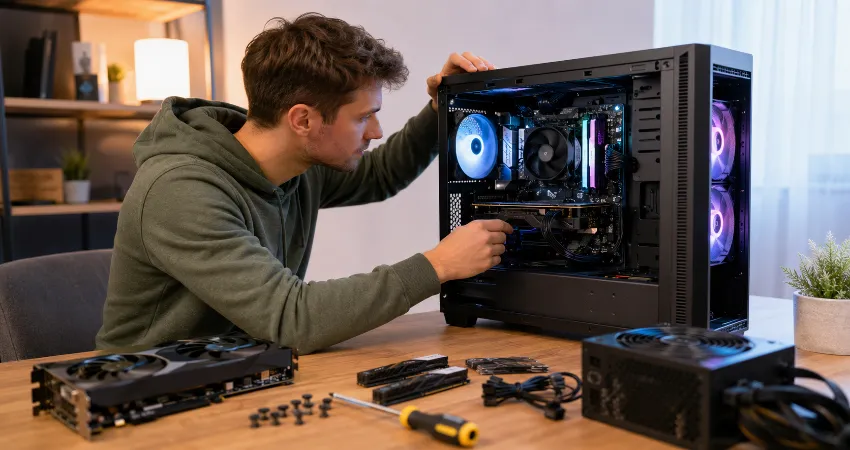
Building a gaming PC looks surprisingly simple when you watch an experienced builder do it. Choose the processor, graphics card, motherboard, memory, storage, power supply, and case, then connect everything together. In reality, selecting compatible parts is only the beginning. The decisions that affect noise, temperatures, upgrade options, cable management, and everyday usability often receive far less attention than raw specifications.
If I were approaching my second gaming PC build, I would spend less time chasing impressive specification numbers and more time designing the computer as a complete system. A powerful graphics card is not particularly useful if the case restricts airflow, the power supply leaves little room for future upgrades, or the memory is running below its intended profile. My priority would be balance, compatibility, cooling, and easy maintenance.
The biggest lesson I would carry into a second build is simple: decide what the PC needs to accomplish before deciding which components belong inside it. That change alone would eliminate many of the compromises that first-time builders discover only after the computer is assembled.
I Would Start With the Gaming Experience, Not a Parts List
The first thing I would decide is the target resolution, refresh rate, and types of games I expect to play. A PC intended for competitive 1080p gaming has different priorities from one designed for visually demanding games at 1440p or 4K. I would also consider whether the computer needs to handle streaming, video editing, programming, or other workloads. Once those goals are clear, choosing a sensible CPU and GPU combination becomes much easier.
I would also set the complete budget before choosing individual components. That budget would include the case, cooling, power supply, storage, operating system requirements, and any peripherals I actually need. Spending too much on one headline component can force unnecessary compromises elsewhere.
I Would Choose the Platform Before Choosing Individual Parts
On a second build, I would select the CPU platform and motherboard together rather than treating the motherboard as something to buy afterward. The board determines CPU support, memory type, storage expansion, USB connectivity, networking, fan headers, PCIe expansion, and several future upgrade possibilities.
I would check the motherboard manufacturer’s CPU support information and memory compatibility information before ordering parts. I would also download the motherboard manual early. Manuals usually show recommended memory slots, storage configurations, header locations, and installation instructions that are much easier to understand before the motherboard disappears underneath a graphics card and several cables.
I Would Pay Much More Attention to the Case
A case is not simply a container for attractive components. On my second build, airflow and physical clearance would come before appearance. I would confirm the maximum graphics card length, CPU cooler height, radiator support, power supply clearance, fan positions, and cable-management space.
I would strongly prefer a case with an unrestricted or mesh-style intake when using components that generate substantial heat. A straightforward airflow path generally brings cool air through the front or lower portion of the case and removes warmer air through the rear and top. Good cable routing also helps keep that path unobstructed.
This is an area where spending slightly more can improve the entire building experience. A well-designed case can make installation, cleaning, upgrades, cooling, and cable management easier for years.
I Would Check Memory Compatibility Before Buying RAM
Memory seems simple until a new system refuses to boot at the speed printed on the package. I would check the motherboard’s memory support list and recommended DIMM configuration before purchasing a kit. When using two memory modules on a typical four-slot motherboard, the correct slots are often the second and fourth positions from the CPU, but I would always follow the specific motherboard manual rather than assume.
I would also remember that installing fast memory does not automatically mean it will operate at its advertised performance profile. Depending on the platform, supported memory profiles such as AMD EXPO or Intel XMP may need to be enabled in the firmware. I would confirm system stability afterward rather than treating the setting as a guaranteed one-click improvement.
I Would Give the Power Supply More Respect
The power supply would be one of the last places I would try to reduce costs. I would choose a reputable unit with appropriate capacity, the connections required by the graphics card, and some reasonable headroom rather than selecting a unit purely because its wattage number appears sufficient.
Modern graphics cards can also require particular attention to their power connections. I would carefully follow the graphics card and power supply documentation, make sure connectors are inserted completely, and avoid forcing cables into extremely tight bends close to the plug. For compatible NVIDIA cards using newer high-power connectors, official guidance specifically emphasizes fully seating the connector.
I would also avoid permanently attaching every modular power cable before understanding where each cable needs to travel. Planning the cable routes first can make the final build much cleaner.
I Would Build and Test in Stages
One change I would definitely make is avoiding the temptation to complete every cosmetic detail before the first test. I would initially install the CPU, cooler, memory, storage, graphics card when required, and essential power connections. Then I would confirm that the system can reach the motherboard firmware screen.
This staged approach makes troubleshooting considerably easier. If the computer does not start correctly, there are fewer variables to inspect. Only after confirming basic operation would I spend time perfecting cable management, lighting connections, additional storage, and other finishing details.
I would also keep the motherboard manual beside me throughout the build, especially when connecting tiny front-panel switches, LEDs, fans, and USB headers.
I Would Treat the First Boot as the Beginning, Not the Finish
Seeing the system start successfully is satisfying, but the PC is not finished at that point. I would inspect the firmware settings, confirm that the processor, memory, and storage are recognized correctly, and check basic temperatures before installing everything else.
I would investigate whether a BIOS update is appropriate for the specific motherboard and processor combination, carefully following the manufacturer’s instructions. I would then configure the memory profile when appropriate and install current chipset, graphics, networking, and other required drivers.
For a Windows 11 system, I would also confirm compatibility with current platform requirements. Microsoft lists UEFI firmware, Secure Boot capability, and TPM 2.0 among its requirements, so checking these settings early can prevent confusion during operating-system installation.
I Would Measure Temperatures Instead of Guessing
I would not assume that a PC is properly cooled simply because it has several fans. After the system is running, I would monitor CPU and GPU temperatures during normal gaming and demanding workloads. I would also pay attention to noise.
If temperatures are reasonable but the computer is unnecessarily loud, adjusting fan curves may improve the experience without purchasing anything. If temperatures are unusually high, I would inspect cooler installation, fan direction, case airflow, dust filters, and cable obstruction before immediately replacing hardware.
A second build would therefore be quieter by design rather than filled with the largest possible number of fans.
I Would Spend for Useful Features, Not Decorative Specifications
My second PC budget would focus on things I interact with or benefit from regularly. That could mean a motherboard with enough M.2 slots, a larger SSD, an accessible front USB Type-C connection, integrated Wi-Fi when needed, a quiet CPU cooler, or a case that is easy to clean.
I would be less interested in paying extra for features that look impressive on a product page but do not improve my actual workload. The best gaming PC is not necessarily the one with the longest specification sheet. It is the machine that delivers the performance, reliability, acoustics, storage, connectivity, and upgrade options its owner actually needs.
What I Would Do Differently Before Pressing the Power Button?
Before the first startup, I would perform one slow inspection. I would verify CPU and motherboard power connections, memory seating, graphics card installation, GPU power connections, CPU cooler mounting, fan connections, storage installation, front-panel wiring, and the position of the power supply switch. I would also make sure no loose screw or cable was interfering with a fan.
That final inspection takes only a few minutes, but it is exactly the kind of habit that becomes easier after understanding how many small details are involved in building a computer.
Frequently Asked Questions
1. What is the biggest mistake first-time gaming PC builders make?
A common mistake is choosing components individually instead of planning the computer as a complete system. CPU and GPU performance matter, but motherboard compatibility, case clearance, cooling, power requirements, storage, and connectivity matter too. I would define the target gaming experience first and build the component list around it.
2. Should I spend more on the CPU or graphics card?
It depends on the games, resolution, refresh-rate target, and other workloads. Many gaming-focused systems benefit greatly from strong graphics performance, while CPU-sensitive games and high-refresh-rate gaming can place more importance on the processor. I would aim for a balanced combination instead of maximizing one component while severely limiting another.
3. How much RAM should a gaming PC have?
The right capacity depends on the games and applications being used. Rather than choosing memory only by capacity, I would also check the memory generation, speed, motherboard support, module configuration, and upgrade plans. Buying a matched kit is generally simpler than combining unrelated modules later.
4. Do I need an expensive motherboard for gaming?
Not necessarily. I would choose a motherboard based on the features I genuinely require, including processor support, memory compatibility, M.2 slots, USB ports, networking, expansion, cooling connections, and upgrade possibilities. Paying for unused premium features rarely improves the gaming experience by itself.
5. How important is airflow in a gaming PC?
Airflow is extremely important because both the CPU and GPU release heat into or around the case. A sensible flow of cooler intake air and warmer exhaust air helps the cooling system operate effectively. Case design, fan placement, filters, cable management, and component positioning all influence the result.
6. Should I update the BIOS immediately?
I would first check the motherboard manufacturer’s support information and the reason for the available update. BIOS updates can provide compatibility, stability, security, and hardware-support improvements, but the procedure should be performed carefully and according to the manufacturer’s instructions. Updating without understanding the process is unnecessary.
7. Why is my RAM running slower than the advertised speed?
Memory can initially operate using standardized settings rather than the performance profile advertised by the memory manufacturer. Supported systems may offer profiles such as AMD EXPO or Intel XMP in firmware. I would confirm motherboard and CPU compatibility before enabling a profile and test system stability afterward.
8. How large should my gaming PC power supply be?
I would calculate expected system requirements using the specifications of the actual CPU, graphics card, and other components, then follow the graphics card manufacturer’s recommendation where applicable. I would choose a quality unit with suitable connectors and reasonable headroom rather than selecting a dramatically oversized unit without a purpose.
9. Should I assemble everything before testing the PC?
I prefer the staged approach. Installing the essential components and confirming that the system reaches firmware before completing cosmetic cable management makes problems easier to isolate. Once basic hardware operation is confirmed, additional fans, storage devices, lighting, and final cable organization can be completed with more confidence.
10. Is building a gaming PC difficult for a beginner?
It requires patience more than advanced technical knowledge. Modern components are designed around standardized sockets and connectors, while motherboard manuals provide detailed installation guidance. The most important habits are checking compatibility before purchasing, reading instructions carefully, avoiding unnecessary force, and testing methodically when something does not work.
Conclusion
If I were building my first gaming PC again, I would focus less on creating the most impressive component list and more on creating the most balanced system. I would research compatibility earlier, choose a better case, plan airflow and power delivery carefully, test the build in stages, configure the firmware properly, and verify temperatures after installation.
Those decisions may not be as exciting as choosing a new graphics card, but they are what turn a collection of powerful parts into a gaming PC that is reliable, quiet, easy to maintain, and enjoyable to use.