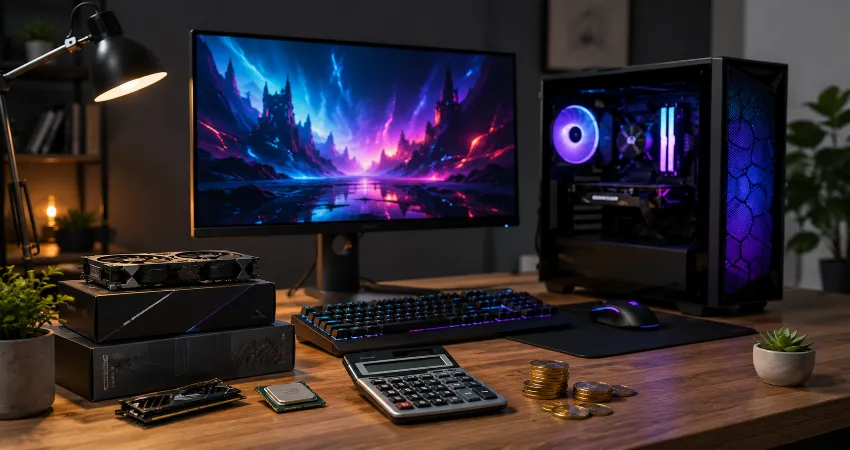
Buying a gaming PC becomes confusing surprisingly fast. One person says you need a $2,000 machine to play modern games properly, while someone else claims a budget build is more than enough. Both can be right because the amount you should spend depends much more on your monitor, preferred games, frame-rate expectations, and upgrade plans than on a universal price target.
For most gamers, spending the maximum amount they can afford is not the smartest strategy. The better approach is buying enough performance for the experience you actually want. A powerful graphics card connected to a basic 1080p 60Hz monitor, for example, can leave much of that expensive performance unused.
There is another complication in 2026: component prices are unusually inconsistent. Graphics cards that launched at reasonable official prices can sell considerably higher in the real market. That makes value more important than simply choosing components from a specification sheet.
The Short Answer: How Much Should You Spend?
For a new gaming desktop in the current market, roughly $1,200 to $1,600 is the most sensible target for many gamers who want strong 1440p performance without moving deep into diminishing returns. Around $800 to $1,100 can still produce a capable 1080p gaming machine, while $1,700 to $2,200 makes more sense for demanding 1440p gaming, high refresh rates, heavier ray tracing, streaming, or entry-level 4K ambitions.
These numbers refer primarily to the computer itself. A monitor, keyboard, mouse, headset, speakers, desk, and other accessories can significantly increase the complete setup cost.
Start With Your Monitor, Not Your PC Parts
This is the most useful rule when deciding a gaming PC budget: determine the resolution and refresh rate you intend to play at before choosing hardware. A gamer targeting 1080p at 60 to 120 FPS has completely different requirements from someone trying to drive a 1440p 240Hz display or a 4K monitor.
Modern benchmark testing continues to show large performance differences as resolution increases. Current mainstream graphics cards can provide excellent 1080p results, while comfortable native 4K gaming requires substantially more graphics power. Tom’s Hardware’s 2026 testing also identifies current midrange cards as strong options for 1080p and 1440p, while significantly faster hardware becomes increasingly relevant at 4K.
Under $800: The Entry-Level Gaming PC
A gaming PC below roughly $800 can work well when expectations are realistic. This budget is best suited to esports titles, older games, indie releases, and modern games at 1080p using carefully selected graphics settings.
The mistake at this level is trying to make every component impressive. Money should primarily go toward the graphics card and a competent modern processor. Expensive liquid cooling, premium motherboards, excessive RGB lighting, oversized power supplies, and luxury cases provide little additional gaming performance.
A lower-cost system can also make sense as an upgrade platform. Buying a solid motherboard, adequate power supply, 16GB to 32GB of memory, and a reasonable processor can allow a stronger graphics card to be installed later.
$800 to $1,100: The Practical 1080p Range
This is where gaming PCs start becoming easier to recommend without major warnings. A well-balanced system in this range should comfortably handle everyday gaming at 1080p and may provide good 1440p results in many titles depending on the graphics card and settings.
Instead of spending heavily on the CPU, prioritize a balanced combination. Gaming performance is frequently limited more by the graphics card, especially as resolution and visual settings increase. Independent 2026 testing still describes the GPU as the component that normally plays the largest role in gaming performance.
$1,200 to $1,600: The Sweet Spot for Most Serious Gamers
If someone asked me to define the most rational modern gaming-PC category rather than the cheapest or fastest category, this would be it. At this level, you can usually build around strong 1440p gaming without sacrificing basic component quality elsewhere.
The goal should be a capable graphics card, modern six-core or eight-core processor, 32GB of memory where pricing allows, a quality 1TB or 2TB NVMe SSD, reliable power supply, and good airflow. You do not need the fastest gaming processor available simply because it exists.
For perspective, AMD’s Ryzen 7 9800X3D carries an official $479 price and is positioned as a premium gaming processor. Spending that much on the processor can make sense in high-frame-rate enthusiast systems, but putting a large percentage of a modest total budget into a premium CPU can leave too little money for the GPU.
$1,700 to $2,200: Premium Performance With a Purpose
This budget starts making sense when you can explain exactly why you need the additional performance. Examples include high-refresh 1440p gaming, demanding visual settings, advanced ray tracing, streaming while gaming, simulation workloads, or an eventual move toward 4K.
Current cards such as the Radeon RX 9070 XT and GeForce RTX 5070-class hardware illustrate why this range exists. Their original official starting prices were $599 and $549 respectively, although actual retail pricing can vary considerably. Benchmark testing places this general performance class firmly into strong 1440p territory.
$2,500 and Beyond: Diminishing Returns Become Serious
A $3,000 gaming PC can obviously be faster than a $1,500 computer, but it is rarely twice as enjoyable or twice as fast. Once you reach enthusiast hardware, every additional dollar generally produces less noticeable improvement.
This becomes especially important with flagship GPUs. The GeForce RTX 5090 originally launched with a $1,999 price, yet recent 2026 market reporting has documented dramatically higher street pricing. Unless you genuinely require flagship-level 4K performance or use the machine for professional workloads as well, paying extreme premiums usually provides poor gaming value.
How Should You Divide Your Gaming PC Budget?
There is no perfect percentage formula, but the graphics card should normally receive the largest share of a gaming-focused build. After that, spend enough on the processor to avoid meaningful performance limitations, then protect the system with a dependable power supply and adequate cooling.
Storage and memory should be practical rather than excessive. A fast 1TB SSD is often a reasonable starting point, although gamers with large libraries may appreciate 2TB. Likewise, 32GB of system memory provides comfortable headroom for a modern gaming machine, but buying unusually large memory capacities purely for gaming rarely increases frame rates.
Where You Should Not Overspend?
Motherboards, cooling systems, cases, lighting, and oversized power supplies are common places where budgets quietly disappear. A $300 motherboard does not automatically make games noticeably smoother than a reliable $150 board that provides the features your processor and storage actually require.
The same principle applies to cooling. Buy enough cooling to keep your processor operating properly and quietly. Spending hundreds more simply because a cooler has a screen, elaborate lighting, or complex styling is an aesthetic decision rather than a gaming-performance upgrade.
The Upgrade Test Before You Buy
Before purchasing anything, ask what you are likely to upgrade first. In a balanced gaming computer, the graphics card will often be the most meaningful future performance upgrade. That makes a quality power supply, sensible case airflow, enough physical GPU clearance, and a reasonably modern CPU platform valuable.
However, do not overspend in the name of “future-proofing.” Hardware changes too quickly for a PC to remain cutting-edge indefinitely. A better strategy is buying the performance you need for the next several years while leaving practical upgrade options available.
FAQs About Gaming PC Budgets
1. Is $1,000 enough for a good gaming PC?
Yes. A carefully selected $1,000 gaming PC can provide an excellent 1080p experience and respectable 1440p performance in many games. Focus spending on the graphics card and processor instead of decorative components. Current component pricing may require adjusting individual parts or waiting for a better-priced GPU.
2. Is $1,500 too much for a gaming PC?
Not necessarily. For someone using a 1440p high-refresh monitor and playing demanding modern games, approximately $1,500 can represent a very sensible performance level. It becomes excessive mainly when the user only plays lightweight games or uses a basic display that cannot take advantage of the hardware.
3. How much should a beginner spend?
A beginner does not need premium hardware. Somewhere around $800 to $1,200 is a practical starting range if buying new. This provides enough flexibility to build a balanced machine while avoiding many of the compromises associated with extremely inexpensive configurations.
4. Should I spend more on the GPU or CPU?
For a primarily gaming-focused computer, the GPU normally deserves more of the budget. Higher resolutions and graphics settings place especially heavy demands on the graphics card. Competitive gamers chasing extremely high frame rates may benefit more from stronger CPU performance than typical players.
5. Is 32GB of RAM worth buying for gaming?
For a new midrange or higher-end gaming computer, 32GB is a comfortable target because it provides room for demanding games, background applications, browsers, voice software, and future requirements. However, adding memory beyond what your workload uses normally does not create a meaningful frame-rate improvement.
6. Should I build a gaming PC or buy a prebuilt?
Building your own system gives you more control over component quality and usually makes future upgrades easier. A prebuilt can still be worthwhile when it has competitive pricing, a good warranty, and clearly identified components. Always check the exact motherboard, power supply, memory configuration, cooling, and storage rather than evaluating only the CPU and GPU names.
7. How much should I spend for 1440p gaming?
Around $1,200 to $1,700 is a reasonable general target for a complete new tower designed around strong 1440p gaming, although current GPU prices can move that figure substantially. Competitive games require less graphics power than demanding single-player titles running maximum settings.
8. How much should I spend for 4K gaming?
Expect roughly $1,800 or more if comfortable 4K performance is a major priority. Native 4K rendering places much heavier demands on the GPU than 1080p or 1440p. Modern upscaling technologies can reduce the hardware requirement, so maximum native resolution does not always need to be the goal.
9. Is future-proofing a gaming PC worth the extra money?
Some future planning is worthwhile, particularly when choosing the power supply, motherboard platform, case, and memory capacity. Extreme future-proofing is usually inefficient. Paying a huge premium today for performance you may not need for several years can provide worse value than upgrading one component later.
10. What is the biggest mistake when setting a gaming PC budget?
The biggest mistake is choosing a price before defining the gaming experience. Decide which games you play, your monitor resolution, desired frame rate, graphics preferences, and upgrade plans first. Once those requirements are clear, the correct budget becomes much easier to identify.
Conclusion
There is no single perfect gaming PC budget. For many gamers, approximately $1,200 to $1,600 provides the strongest balance between performance, component quality, and diminishing returns, while 1080p players can comfortably spend less.
The smartest PC is not the most expensive machine you can purchase. It is the least expensive machine that reliably delivers the gaming experience you actually want while leaving sensible room for future upgrades.