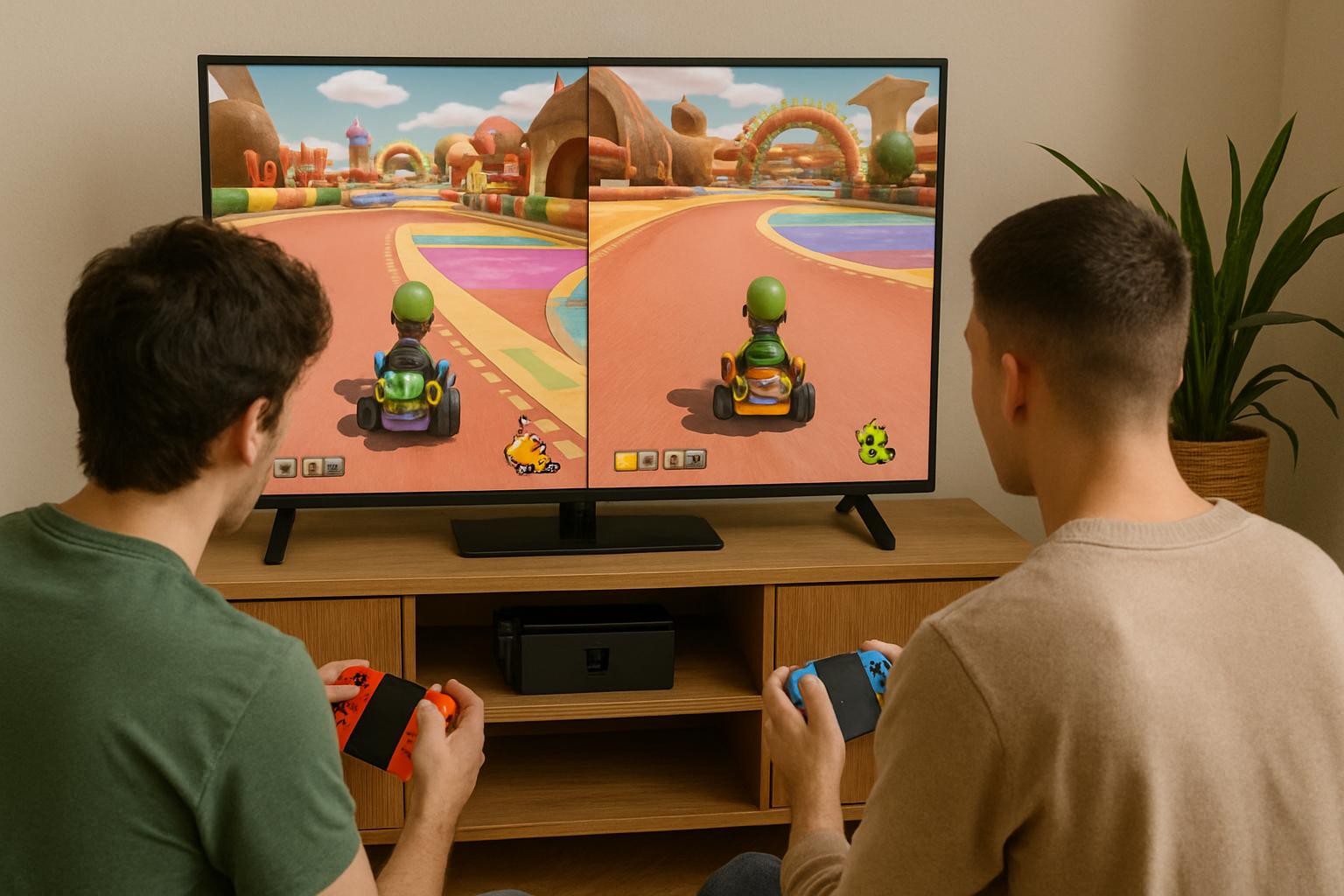
15 Best Games With Split Screen to Play Together
Looking for games with split screen that you can enjoy with a friend, partner, or family member? Split-screen gaming makes it possible for two or more players to play together on the same display, with each person controlling their own character, vehicle, or part of the action.
Whether you prefer cooperative adventures, competitive racing, challenging puzzles, or chaotic party games, there are plenty of ways to enjoy multiplayer gaming at home. However, not every game supports split-screen on every platform. Some titles offer local multiplayer only on consoles, while others provide split-screen support on PC as well.
This guide covers 15 games worth considering, including their gameplay styles, player experiences, and platform-related limitations. You will also learn how to choose the right game and what to check before buying.
If you are searching for games with split screen, start by checking your gaming platform, preferred genre, and the number of players you want to accommodate.
What Are Split-Screen Games?
Split-screen games divide a single display into separate sections so multiple players can see their own gameplay perspectives. For example, one player might explore a fantasy world while another solves puzzles or navigates a different area.
This setup is particularly useful for couch co-op gaming, where players sit together in the same room instead of connecting exclusively through online multiplayer.
There are three related gaming terms worth understanding:
- Split-screen: The display is divided into separate views, usually one for each player.
- Shared-screen multiplayer: Everyone plays within the same visible game area without dividing the display.
- Local co-op: Players cooperate on the same device or local setup. The game may use split-screen or a shared screen.
These distinctions matter because a game can support local multiplayer without offering traditional split-screen. Always check the specific version and platform before purchasing.
15 Best Games With Split Screen
The following games cover different genres and play styles. Availability and multiplayer features can vary by platform, so check the relevant store listing before buying.
1. It Takes Two
Best for: Couples, close friends, and cooperative adventures.
It Takes Two is an action-adventure game designed around cooperation between two players. You control Cody and May, two characters who must work together to overcome obstacles and navigate imaginative environments.
Its gameplay constantly introduces new challenges, including platforming, puzzles, and action sequences that require communication. Each player contributes to the solution, making teamwork essential rather than optional.
The game supports local couch co-op with split-screen gameplay, as well as online co-op.
Why play it:
- A campaign designed specifically for two players.
- Varied gameplay that keeps both players involved.
- Local and online cooperative options.
- A good choice for players who enjoy story-driven experiences.
Platform note: Available on PC, PlayStation, Xbox, and Nintendo Switch. Check the store listing for the exact edition and supported features.
official It Takes Two features
2. Split Fiction
Best for: Players who want a modern, imaginative co-op adventure.
Split Fiction follows two writers, Mio and Zoe, who become trapped in a series of science-fiction and fantasy worlds. Players must coordinate their actions, solve puzzles, and use different abilities to progress.
The game is designed for two-player cooperative play and offers split-screen gameplay locally. Its changing environments and mechanics help keep the experience fresh throughout the adventure.
Online play is also available, and EA’s Friend’s Pass lets a friend join an eligible online session without purchasing a second full copy, subject to the applicable requirements.
Why play it:
- A two-player adventure built around cooperation.
- A mixture of platforming, puzzles, and action.
- Local split-screen and online play.
- An imaginative setting for players who enjoy exploring together.
Platform note: Available on PC, PlayStation 5, Xbox Series X|S, and Nintendo Switch 2. Check EA’s official requirements for the edition you intend to play.
3. A Way Out
Best for: Two players who enjoy cinematic stories.
A Way Out is a cooperative action-adventure game about two prisoners attempting to escape and navigate the consequences of their decisions.
The experience emphasizes teamwork, timing, and communication. Players may need to coordinate distractions, complete simultaneous actions, or approach a situation from different perspectives.
The game uses split-screen presentation throughout its cooperative experience, including online co-op.
Why play it:
- A story built around two playable characters.
- Cooperative sequences that encourage communication.
- A cinematic experience for two players.
- A good choice for friends who prefer narrative-driven games.
Platform note: Available on PC, PlayStation, and Xbox. Check the store listing for supported local and online modes.
4. Portal 2
Best for: Puzzle lovers.
Portal 2 combines first-person puzzle solving with a dedicated cooperative campaign. Players use portal technology to navigate testing chambers, manipulate objects, and overcome environmental challenges.
The cooperative mode requires players to think together. One person might open a route while the other activates a mechanism, so communication is often more important than quick reflexes.
The PC version lists shared/split-screen co-op among its supported features, alongside online co-op.
Why play it:
- Clever puzzles that reward teamwork.
- A dedicated two-player campaign.
- An enjoyable option for players who prefer thinking over fighting.
- Support for both online and split-screen co-op on PC.
Platform note: Portal 2 is available on PC and several console platforms. Do not assume every console edition offers identical multiplayer features.
5. Stardew Valley
Best for: Relaxed gaming with a friend or partner.
Stardew Valley is a farming and life simulation game in which players grow crops, raise animals, explore caves, fish, and develop a community.
Its cooperative mode lets players share the work of running a farm. One person can tend crops while another gathers resources or explores. The relaxed pace makes it suitable for players who want a longer-running shared activity rather than a short competitive match.
Why play it:
- Farming, crafting, exploration, and social activities.
- Flexible cooperative play.
- A relaxed alternative to action-heavy games.
- Plenty of activities to enjoy at your own pace.
Platform note: Local split-screen is supported on PC and selected consoles, but multiplayer options differ by platform. Verify the current edition before buying.
6. Baldur’s Gate 3
Best for: Role-playing fans who enjoy strategic decisions.
Baldur’s Gate 3 is a fantasy role-playing game featuring exploration, turn-based combat, character development, and branching decisions.
In supported editions, two players can experience the campaign together using local split-screen. Players can develop different characters, make decisions, and approach combat with distinct strategies.
Its length and complexity make it better suited to people who want to invest time in a shared adventure.
Why play it:
- Deep character customization.
- Strategic combat and meaningful choices.
- A substantial campaign to explore together.
- A good fit for players who enjoy role-playing games.
Platform note: Local split-screen availability depends on the platform and edition. Check current official requirements, especially if you are considering an Xbox Series S version.
7. Divinity: Original Sin 2
Best for: Fans of tactical fantasy adventures.
Divinity: Original Sin 2 is a role-playing game that combines turn-based combat, exploration, dialogue, and environmental interactions.
Its cooperative gameplay allows players to approach quests and battles in different ways. Elemental surfaces, character abilities, and positioning can all influence the outcome of an encounter.
Why play it:
- Tactical combat with multiple possible approaches.
- Character progression and party customization.
- A large fantasy world to explore.
- Cooperative problem-solving and exploration.
Platform note: Local split-screen availability varies by platform. Confirm that the specific edition you intend to purchase supports the desired local multiplayer mode.
8. Borderlands 3
Best for: Friends who enjoy action and loot collection.
Borderlands 3 is a fast-paced looter shooter featuring colorful environments, exaggerated humor, numerous weapons, and cooperative combat.
Players choose different characters and work together to complete missions, fight enemies, and collect equipment. It is an option for groups who want a more action-focused experience.
Why play it:
- Fast-paced shooting and cooperative missions.
- A large selection of weapons and equipment.
- Distinct playable characters.
- A good fit for friends who enjoy action-heavy games.
Platform note: Local split-screen is available on supported console versions, but the standard PC version does not offer native local split-screen in the same way. Verify your platform before buying.
9. Rocket League
Best for: Competitive players and sports fans.
Rocket League combines soccer-style gameplay with rocket-powered cars. Teams try to score goals by driving, jumping, and hitting a large ball into the opposing net.
Matches are relatively short, making the game suitable for quick sessions with friends. Players can also practice mechanics and improve their teamwork over time.
Why play it:
- Short, competitive matches.
- Easy-to-understand objectives.
- A high skill ceiling for dedicated players.
- A fun alternative to traditional sports games.
Platform note: Local split-screen is supported on PC and compatible consoles. Check current platform-specific multiplayer instructions before setting up a session.
10. Overcooked! All You Can Eat
Best for: Families, groups of friends, and party gaming.
Overcooked! All You Can Eat brings together restaurant-management challenges from the Overcooked! series. Players prepare ingredients, cook dishes, wash plates, and serve customers before time runs out.
The kitchen layouts become increasingly chaotic, so communication and task management are essential. Players who enjoy cooperative challenges without complex combat mechanics may find it especially entertaining.
Why play it:
- Cooperative cooking challenges.
- Accessible controls and objectives.
- A strong party-game atmosphere.
- Opportunities for teamwork and friendly chaos.
Important distinction: This is primarily a shared-screen local multiplayer game, not a traditional split-screen game. It is included because many people searching for split-screen games also want couch co-op experiences.
11. Cuphead
Best for: Players who enjoy challenging action games.
Cuphead is a run-and-gun game inspired by classic animation. It features elaborate boss fights, demanding patterns, and colorful hand-drawn visuals.
Its local two-player cooperative mode lets players work together through challenging levels. Success depends on timing, learning enemy patterns, and supporting each other during difficult encounters.
Why play it:
- Distinctive visual design.
- Challenging boss battles.
- Cooperative action for two players.
- A rewarding option for players who enjoy difficult games.
Important distinction: Cuphead uses a shared-screen presentation rather than traditional split-screen. It is best considered a couch co-op alternative.
12. LEGO Star Wars: The Skywalker Saga
Best for: Families and fans of Star Wars.
LEGO Star Wars: The Skywalker Saga adapts stories from the Star Wars saga into an accessible action-adventure experience.
Players explore familiar locations, fight enemies, collect items, and solve simple environmental puzzles. Its humor and approachable gameplay make it a useful option for mixed-age groups.
Why play it:
- Familiar Star Wars characters and locations.
- Accessible cooperative gameplay.
- Exploration, combat, and collectibles.
- A family-oriented alternative to more demanding games.
Important distinction: The game uses a dynamic shared-screen or drop-in local co-op presentation rather than traditional fixed split-screen. Check the specific edition if separate player views are essential.
13. Gears 5
Best for: Fans of third-person shooters.
Gears 5 combines action, cover-based shooting, and a science-fiction storyline. Depending on the mode, players can experience cooperative missions or competitive multiplayer.
Its cooperative options make it worth considering for friends who want a more intense action game.
Why play it:
- Tactical third-person shooting.
- Cooperative campaign options.
- A science-fiction setting.
- Different modes for varied play sessions.
Platform note: Supported local multiplayer features depend on the mode and platform. Confirm the number of local players and whether the particular mode supports split-screen before purchasing.
14. Rayman Legends
Best for: Families and platform-game fans.
Rayman Legends is a colorful platformer featuring imaginative levels, musical challenges, collectibles, and fast-paced movement.
Its local multiplayer is based on a shared-screen experience, allowing players to progress through levels together. The accessible gameplay makes it a reasonable choice for people who want cooperative fun without a complicated learning process.
Why play it:
- Colorful levels and creative challenges.
- Accessible platforming.
- Local multiplayer for group play.
- A lighter alternative to complex action games.
Important distinction: Rayman Legends is a shared-screen couch co-op game, not a traditional split-screen title.
15. Human: Fall Flat
Best for: Casual players who enjoy physics-based puzzles.
Human: Fall Flat is a physics-based puzzle platformer in which players control customizable characters with deliberately awkward movement.
Players push objects, climb structures, move platforms, and experiment with different ways to solve environmental puzzles. Unexpected physics interactions often create funny moments.
Why play it:
- Physics-based puzzles with multiple solutions.
- Humorous movement and interactions.
- Cooperative problem-solving.
- A casual option for friends and families.
Important distinction: Human: Fall Flat is primarily a shared-screen or online multiplayer alternative, depending on the platform and mode. Check the relevant edition if traditional split-screen is a strict requirement.
Quick Comparison: Which Split-Screen Game Should You Choose?
| Game | Best for | Multiplayer experience |
|---|---|---|
| It Takes Two | Couples and friends | True split-screen co-op |
| Split Fiction | Modern co-op adventures | True split-screen co-op |
| A Way Out | Story-driven gaming | Split-screen co-op |
| Portal 2 | Puzzle solving | Split-screen co-op on PC |
| Stardew Valley | Relaxed gaming | Local split-screen on supported platforms |
| Baldur’s Gate 3 | Fantasy RPG fans | Split-screen on supported editions |
| Divinity: Original Sin 2 | Tactical RPG fans | Local split-screen on supported editions |
| Borderlands 3 | Action fans | Split-screen on supported consoles |
| Rocket League | Competitive players | Local split-screen |
| Overcooked! All You Can Eat | Party gaming | Shared-screen co-op |
| Cuphead | Challenging action | Shared-screen co-op |
| LEGO Star Wars: The Skywalker Saga | Families | Shared-screen co-op |
| Gears 5 | Shooter fans | Mode-dependent local co-op |
| Rayman Legends | Platforming | Shared-screen co-op |
| Human: Fall Flat | Casual puzzle fans | Platform-dependent local multiplayer |
This table distinguishes traditional split-screen games from shared-screen alternatives. Exact platform support should always be confirmed before purchase.
Choosing games with split screen becomes easier when you know which platforms support local multiplayer and whether you prefer cooperative or competitive gameplay.
How to Choose the Right Split-Screen Game
The best game for your group depends on your preferred genre, available hardware, and how you want to play together.
1. Check Your Gaming Platform
Start by identifying whether you will play on a Windows PC, PlayStation, Xbox, or Nintendo Switch.
A game may support split-screen on one platform but not another. Borderlands 3, for example, offers local split-screen on supported consoles but does not provide equivalent native local split-screen on the standard PC version.
Always verify the specific edition rather than relying on a general statement that a game supports multiplayer.
2. Decide How Many People Will Play
Some games are designed for exactly two players, while others accommodate larger local groups.
If you are choosing a game for a couple, a two-player adventure may be ideal. For a family gathering, a party game or local multiplayer title with more player slots may be a better fit.
Check the maximum number of local players, not just the maximum number of online players.
3. Choose a Genre Everyone Enjoys
Different genres suit different groups:
- Adventure: It Takes Two and Split Fiction.
- Story-driven co-op: A Way Out.
- Puzzles: Portal 2.
- Role-playing: Baldur’s Gate 3.
- Casual gaming: Stardew Valley.
- Competitive action: Rocket League.
- Party games: Overcooked! All You Can Eat.
Choosing a genre that everyone enjoys can make a gaming session more rewarding.
4. Check Controller and Input Requirements
Many local multiplayer games work best with two compatible controllers. Some PC games support a combination of a keyboard, mouse, and controller, but this varies by title.
Before buying, verify the required inputs, controller compatibility, and any additional setup steps. If you plan to play on a television, check whether your PC can connect to it comfortably.
5. Consider Your Budget
Game prices change with sales, bundles, editions, and subscriptions. Compare the current price on the official store or an authorized retailer instead of assuming that an older title is always cheaper.
Also consider whether both players need to purchase a copy. Some games support local play with one copy, while online features or particular editions may have different requirements.
Can You Play Split-Screen Games on PC?
Yes. Several PC games support local split-screen, including It Takes Two, Split Fiction, and Portal 2.
However, PC compatibility requires more than checking the game’s system requirements. You should also verify that the PC edition supports the local multiplayer mode you want.
For a smoother setup:
- Check the game’s official store listing for shared/split-screen support.
- Connect compatible controllers or confirm keyboard-and-controller support.
- Launch the game and open its local multiplayer or co-op menu.
- Connect the second player’s input device and follow the game’s joining instructions.
- Adjust the display resolution and graphics settings if performance becomes inconsistent.
Can You Play Split-Screen Games Online With Friends?
Some games offer both local split-screen and online co-op. Others only provide one of these modes.
Steam Remote Play Together can also let players join supported local multiplayer games remotely. According to Steam’s documentation, the host runs the game while invited players connect through streaming. Only the host needs to own and install the game, provided the title supports Remote Play Together.
This feature does not automatically make every game compatible with split-screen, and the quality of the experience depends on the network connection.
Frequently Asked Questions
What are the best games with split screen for two players?
It Takes Two, Split Fiction, A Way Out, and Portal 2 are strong options to consider. Each offers a different experience, from story-driven adventures to puzzle-solving. Check the relevant platform’s local co-op support before purchasing.
Are there free split-screen games for PC?
Free options depend on the game, platform, and current store availability. Rocket League is free to play and supports local split-screen on compatible PC setups. Check the current official listing and multiplayer instructions to confirm the configuration you need.
Can two people play split-screen games on one PC?
Yes. A number of PC games support two-player local split-screen. You generally need a compatible PC, the game itself, and supported input devices. Some games require two controllers, while others allow mixed keyboard-and-controller setups.
What is the difference between split-screen and couch co-op?
Split-screen divides the display into separate player views. Couch co-op describes players cooperating in the same physical location. Couch co-op can use split-screen or a shared-screen format, so the terms are not interchangeable.
Do both players need to buy a split-screen game?
For local split-screen on one device, players generally use the same installed copy, subject to the game’s licensing terms. Online multiplayer may have different purchase, account, or subscription requirements. Some games also offer a Friend’s Pass or similar arrangement.
Which split-screen games are good for couples?
It Takes Two and Split Fiction are designed specifically for two-player cooperative adventures. Stardew Valley is another option for couples who prefer a more relaxed experience, provided their chosen platform supports the desired local mode.
Can I play split-screen games with a keyboard and controller?
Some PC games support this combination, but others require two controllers or have additional input limitations. Check the game’s official documentation or store listing before buying.
Final Thoughts
Games with split screen are a practical way to enjoy multiplayer gaming with friends, partners, and family members without needing separate gaming setups for everyone.
For a story-driven adventure, consider It Takes Two, Split Fiction, or A Way Out. If you prefer puzzles, Portal 2 is worth exploring. For a more relaxed experience, Stardew Valley offers a different style of cooperative play on supported platforms.
The most important step is to verify local multiplayer support for your exact platform and edition. Once you know the game supports the way you want to play, you can choose a title that matches your group’s interests, hardware, and budget.
1 thought on “Games With Split Screen: 15 Best Picks to Play Together”